September 9th, 2026
Server
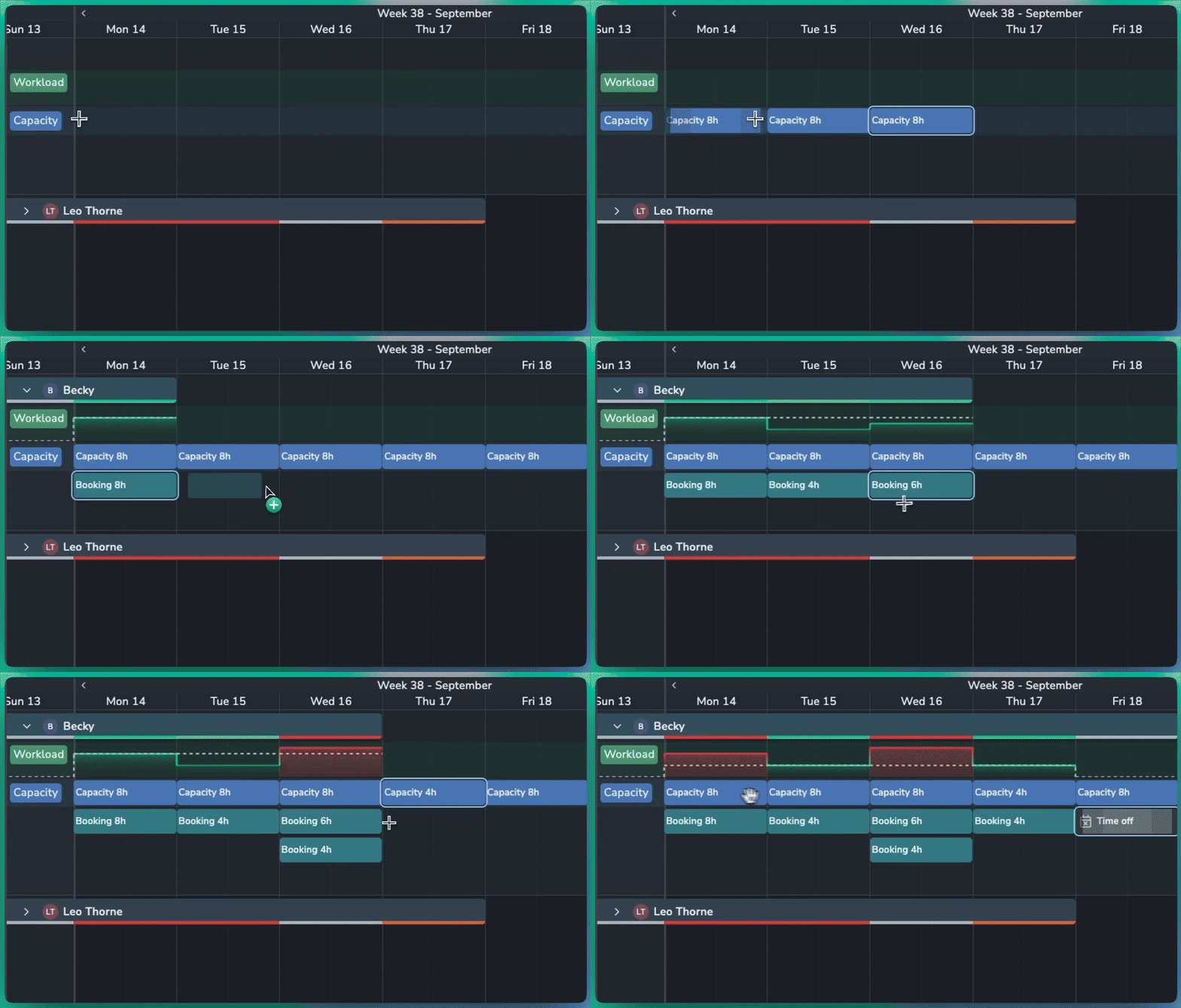
Plan resource availability and balance workloads with the new Capacity and Workload features in Planner.
📈 Capacity & Workload
Set Capacity: Define how many hours a resource is available to work, either for a specific day or across a longer period.
Hours per Day: Set a daily capacity, such as 8 hours per day, and Planner automatically calculates the total for the selected period.
Workload Graph: Compare booked work against available capacity. The dotted line shows the resource's total capacity for each day.
At-a-Glance Status: Quickly identify workload levels:
⚪ Grey: Capacity is available
🟢 Bright green: Workload matches capacity
🟠 Orange: Booked slightly over capacity
🔴 Red: Booked significantly over capacity
Smarter Scheduling
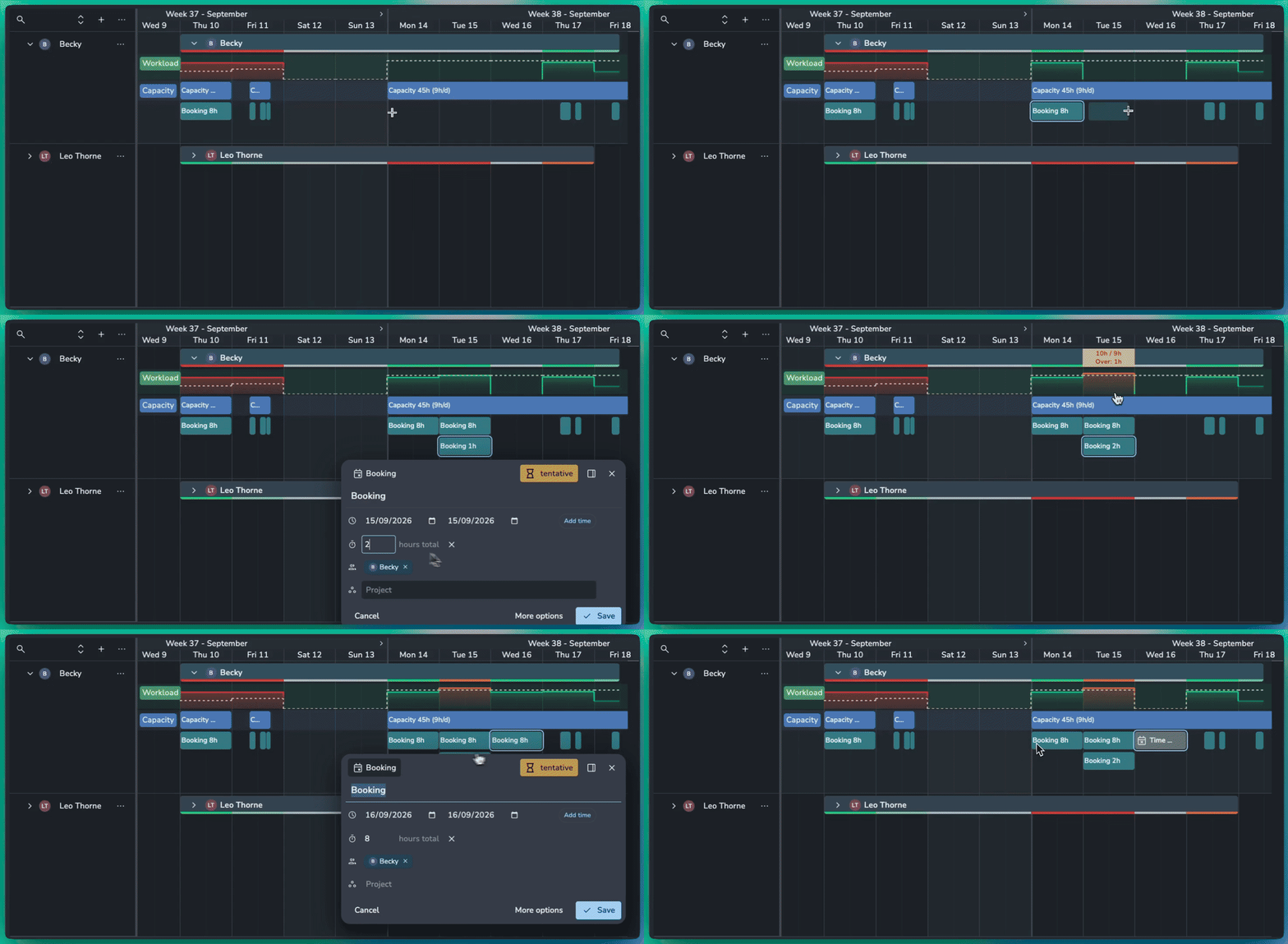
Time Off: Mark a booking as Time Off to set capacity to zero for that period and highlight any conflicting work.
Specific Hours: Create specific hours of capacity or bookings like from 9am-5pm.
Flexible Bookings: Set the number of hours a booking uses, even when it spans multiple days. For example, an 8-hour booking across two days can represent 4 hours of work per day.
🛠️ Planner Improvements
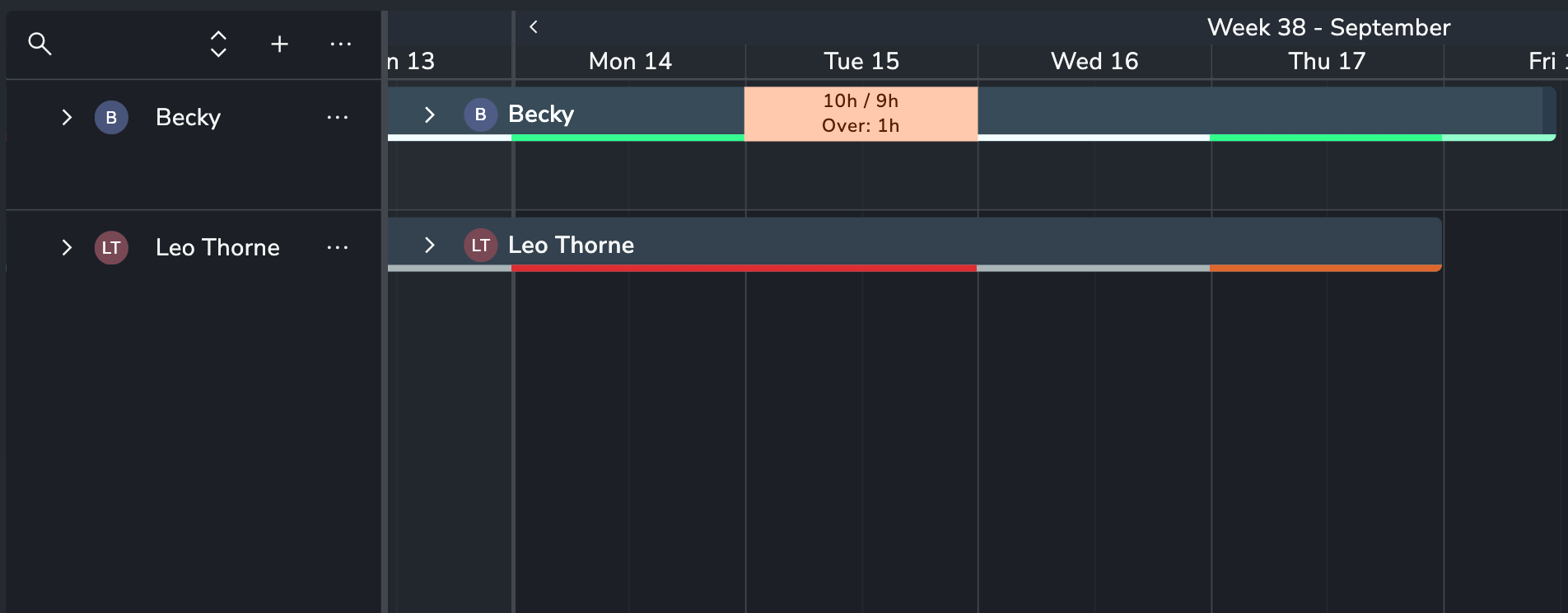
Duplicate Events: Quickly duplicate bookings or capacity to the next day or week.
Move Events: Move bookings and capacity forward by day or week without dragging them manually.
Planner is a premium addon included with the Studio subscription, or as an extra with a Pro subscription.
September 7th, 2026
Server
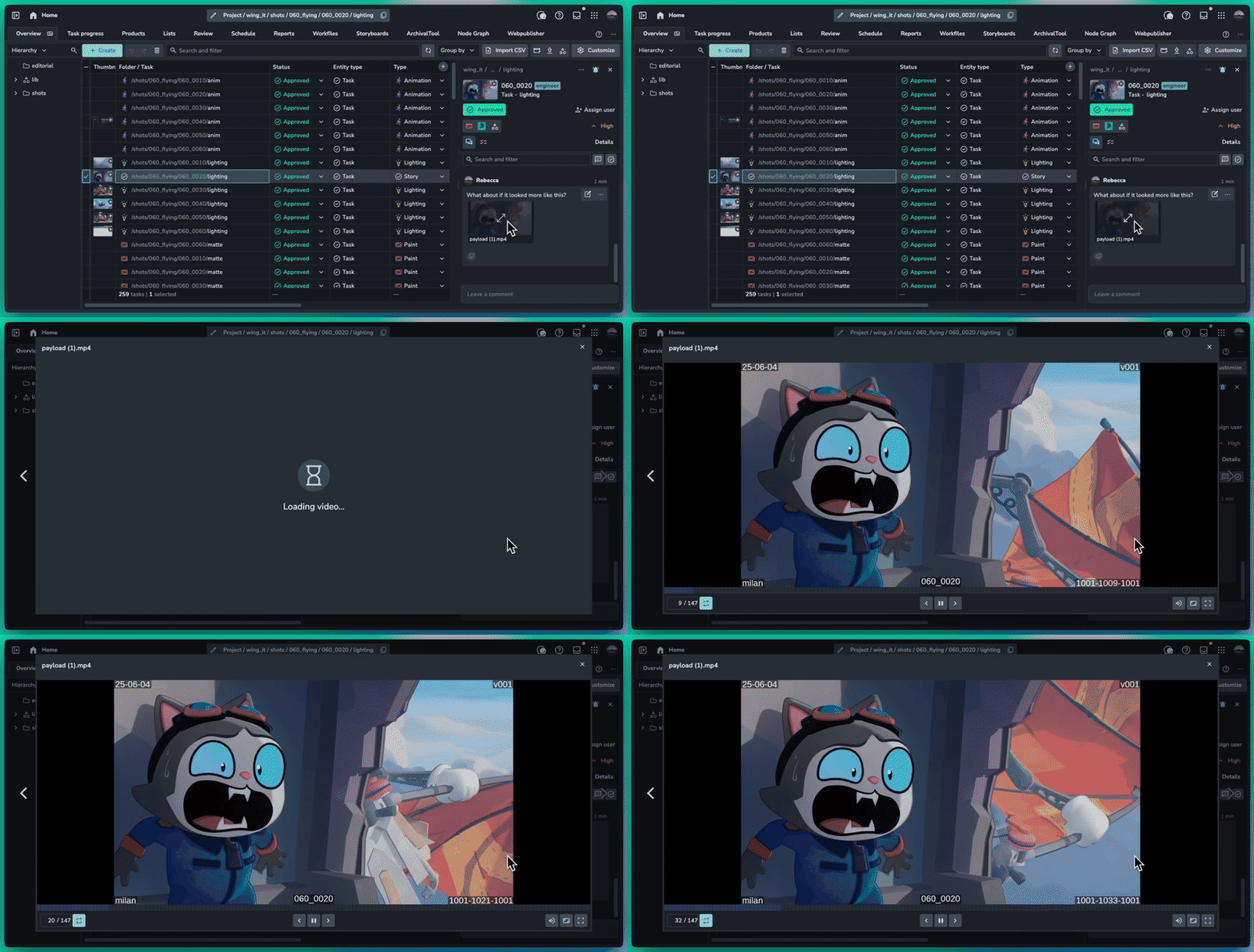
Video attachments are now playable inside of AYON using our custom video player for frame accurate playback, zoom and full screen support.
❤️ Improvements
Comments: Video attachment thumbnails and playback #2267
Slicer: Support multiple search items using comma #2277
My Tasks: Show tags in list view #2285
Slicer: Show all lists types #2293
🛠️ Bugfixes
August 25th, 2026
Server
Inbox Filtering
The inbox is a place to get work done, not just a notification center. We’ve added filtering to help cut through the noise and focus on the changes that matter. You can now filter by:
Project
Update type
Comment Category
Review Approvals
Plus many more
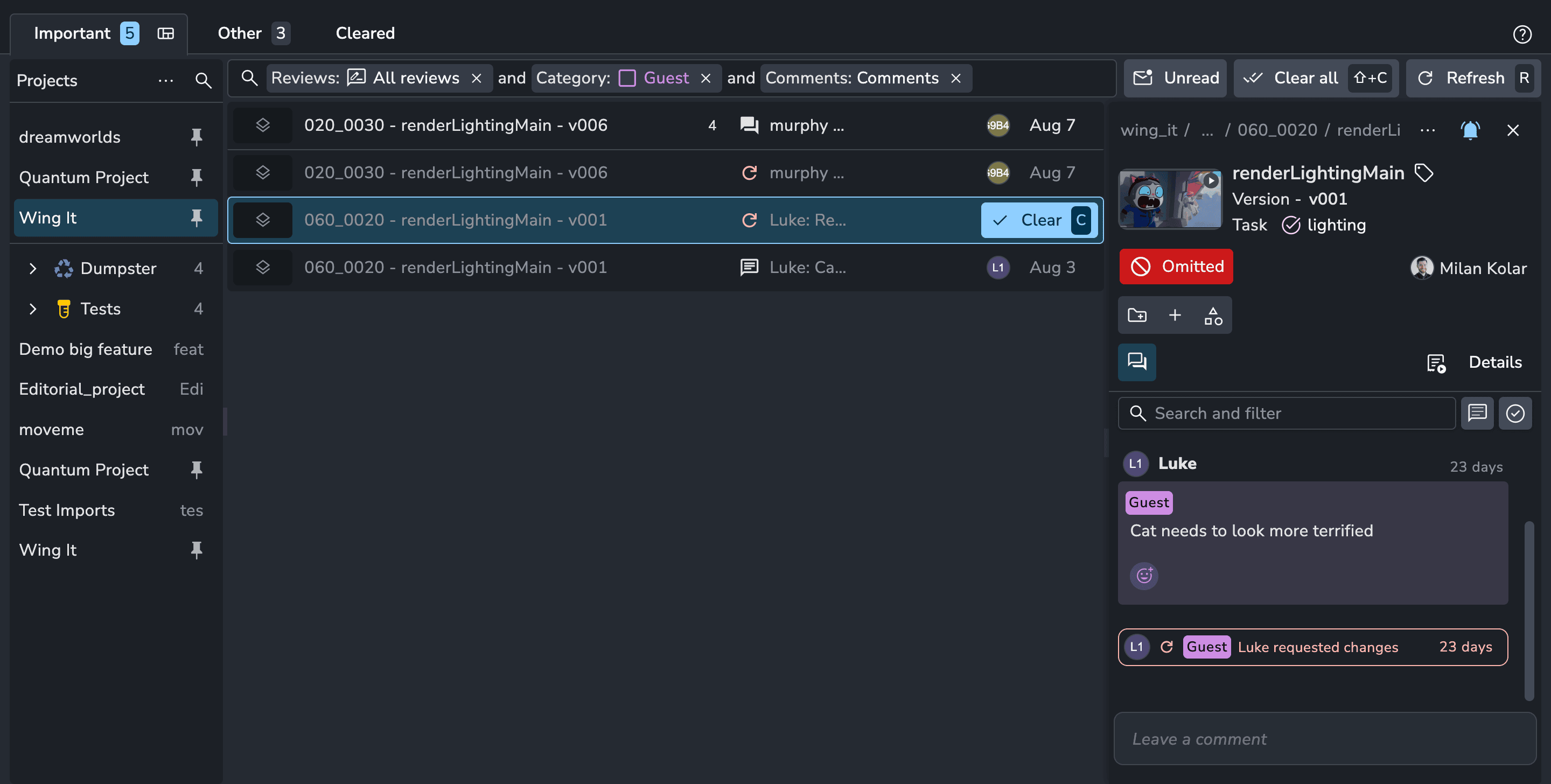
Table Columns Redesign
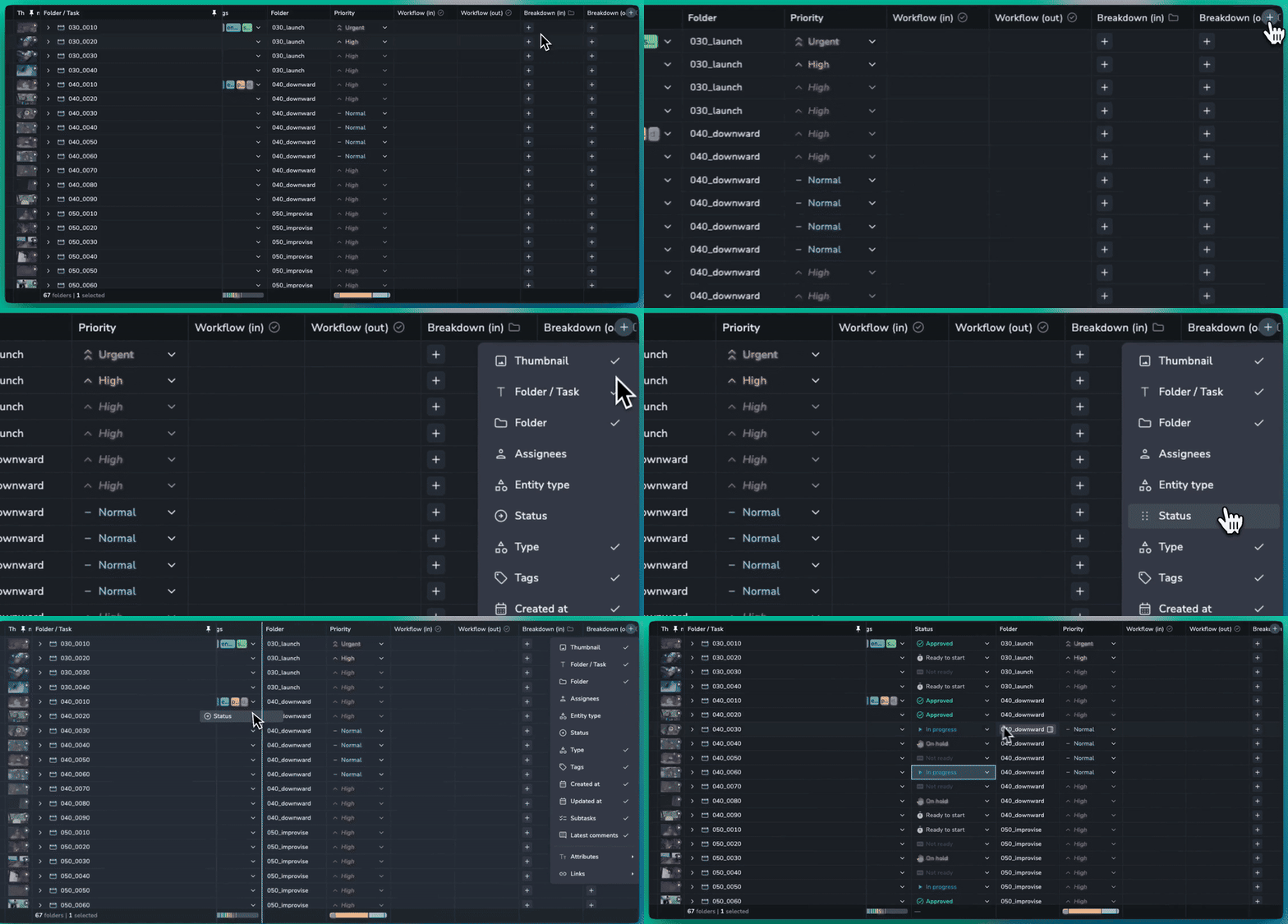
It’s now much easier to add and manage columns in the table. Simply click the new “Add” button, then select the column you need or drag it directly onto the table. Columns are now better organised into groups, with a new search making it easier to find exactly what you need.
🎉 New Features
Inbox Filtering #2217
❤️ Improvements
Overview: Allow creating folders and task in any mode #2256
Summaries: Name breakdown of folder and task types #2268
Table: Redesign column management #2241
🛠️ Bugfixes
Slicer: Fix selection of redundant children being sent to server #2257
Products: product type should not enum dropdown and string type #2269
📚 Resources
Note: Ynput cloud hosted instances have automatic, scheduled updates. Self-hosted servers require you to update yourself How to Update Your AYON Server.
August 19th, 2026
Server
🏎️ Speed Optimisations
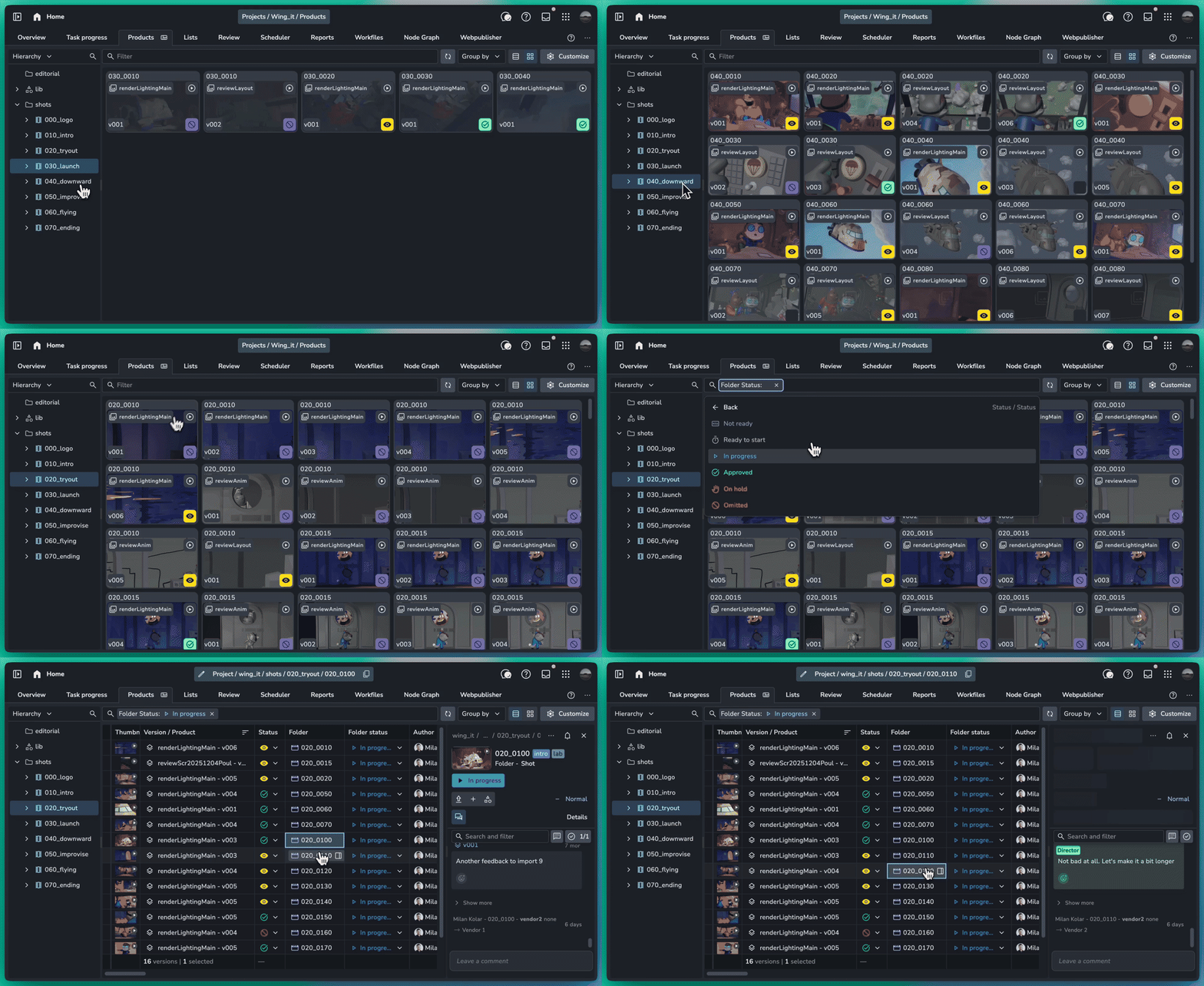
As projects scale and production data grows, we are continually optimizing AYON to remain fast and responsive. We've delivered major performance improvements to version loading times on the Products page, achieving up to a 10x speed increase in large-scale environments.
🔎 More Products Page Filters
Versions are inherently tied to their folder structure. To give you clearer context and faster navigation directly from the Products page, we've expanded your filtering and management options:
Parent Folder Filtering: Filter versions dynamically using the attributes of their folders.
Folder & Task Navigation: Jump directly to a versions folder or linked task in a single click.
Parent Folder Status: See the parent folder status right alongside the version entry.
Latest per Folder: Isolate your view to show only the latest version per folder.
Streamlined Filtering UX: Enjoy a cleaner, re-designed search filter interface that makes building queries faster and easier.
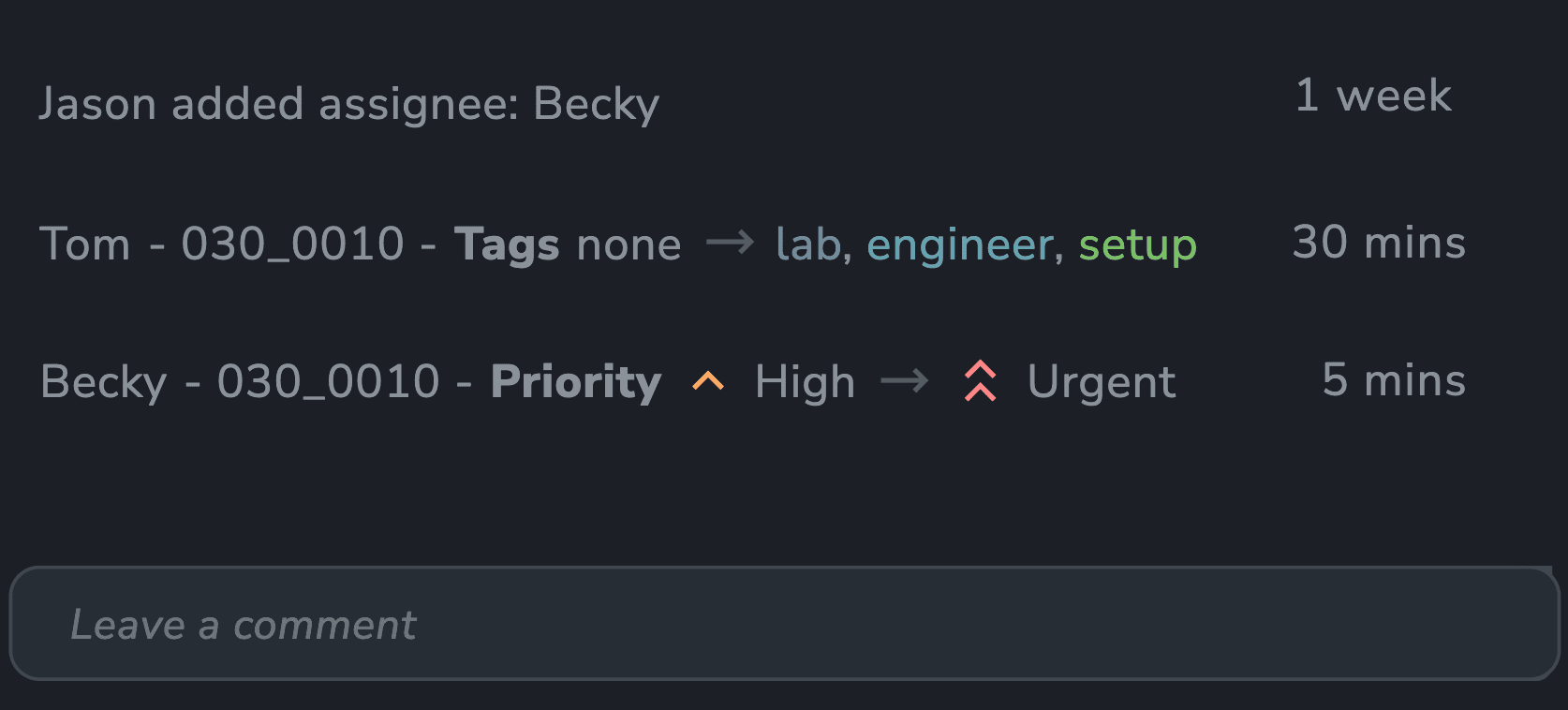
✅ Activity Feed Attribute Tracking
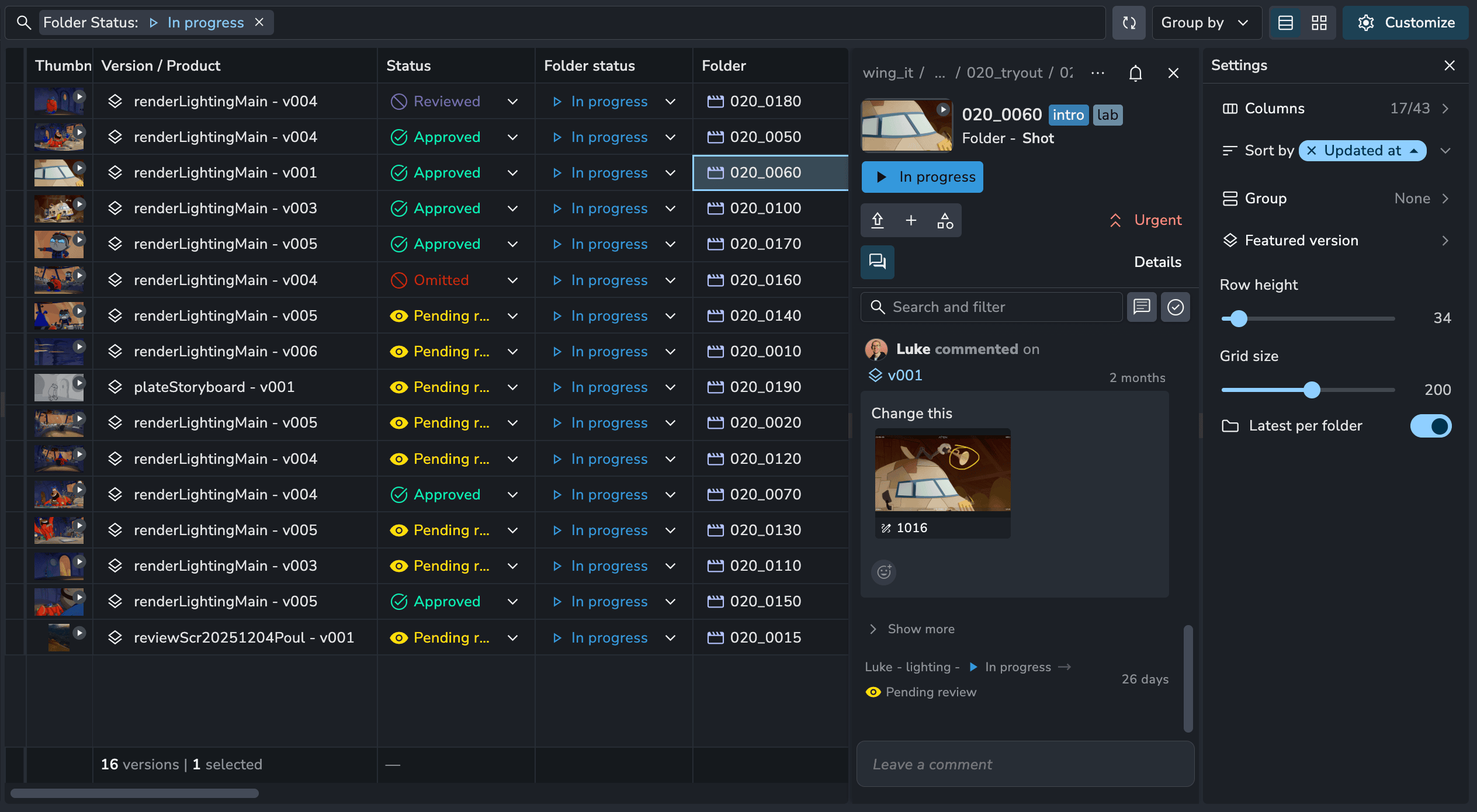
The Activity Feed now captures all attribute and entity changes across folders, tasks, and versions, giving you a complete, transparent timeline of your project history.
🎉 New Features
Entity changes show as activities in feed #2197
Products: Filter versions by folders and get the latest in a folder #2226
❤️ Improvements
Slicer: Hierarchy right click options on folders #2189
Filters: Text fields empty and not empty #2205
Delete: Deleting entities requires typed confirmation #2206
Lists: Search filter now supports fuzzy text strings #2201
Table: Double click folder and task cells to open them #2237
Table: Word wrapping for column content #2239
🛠️ Fixes
Fix sorting by Folder Name in tasks #1047
Tasks: Changed allowed length of task type to 2 not 3 #1053
Projects: Fix new project code generation for regexes #2209
Actions: Dialogs closing on table changes and real time updates #2219
Slicer: Lists sorting now matches lists page #2220
Realtime Updates: Optimise folder updates and standardize batching and delays #2218
Overview: Fix sorting tasks by folder #2236
Overview: Fix folder count stats when searching for tasks #2251
Lists: Move list should use add to list dialog #2245
Summaries: Show column summaries for multi-select attributes #2261
📚 Resources
Note: Ynput cloud hosted instances have automatic, scheduled updates. Self-hosted servers require you to update yourself How to Update Your AYON Server.
July 29th, 2026
Server
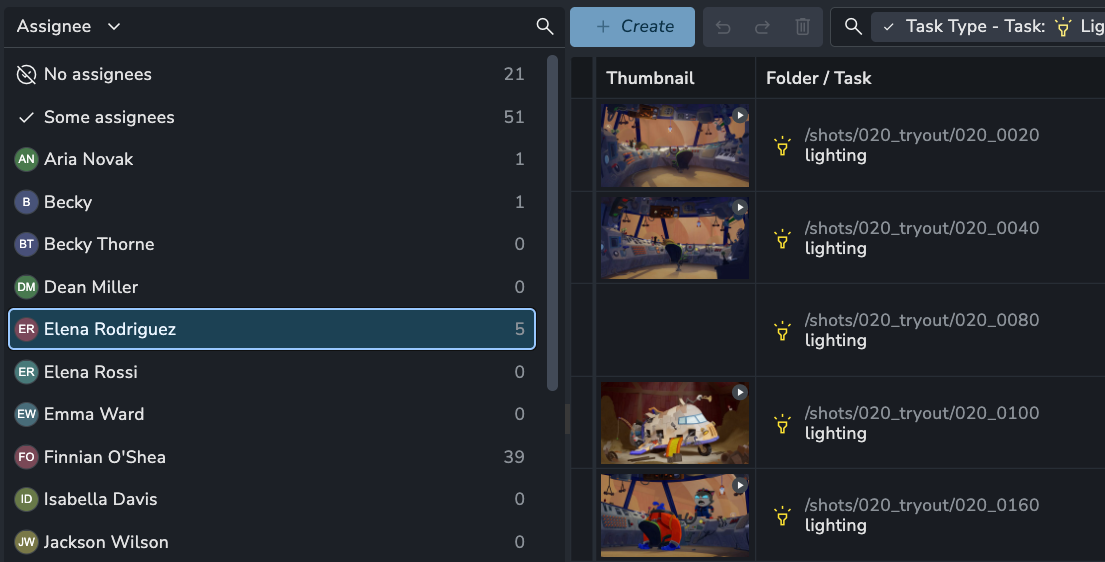
❤️ Improvements
🛠️ Fixes
Details panel: clicking close sometimes does not close #2195
Overview: Table rendering unstable causing links picker to close on streaming updates #2200
📚 Resources
Note: Ynput cloud hosted instances have automatic, scheduled updates. Self-hosted servers require you to update yourself How to Update Your AYON Server.
July 23rd, 2026
Server
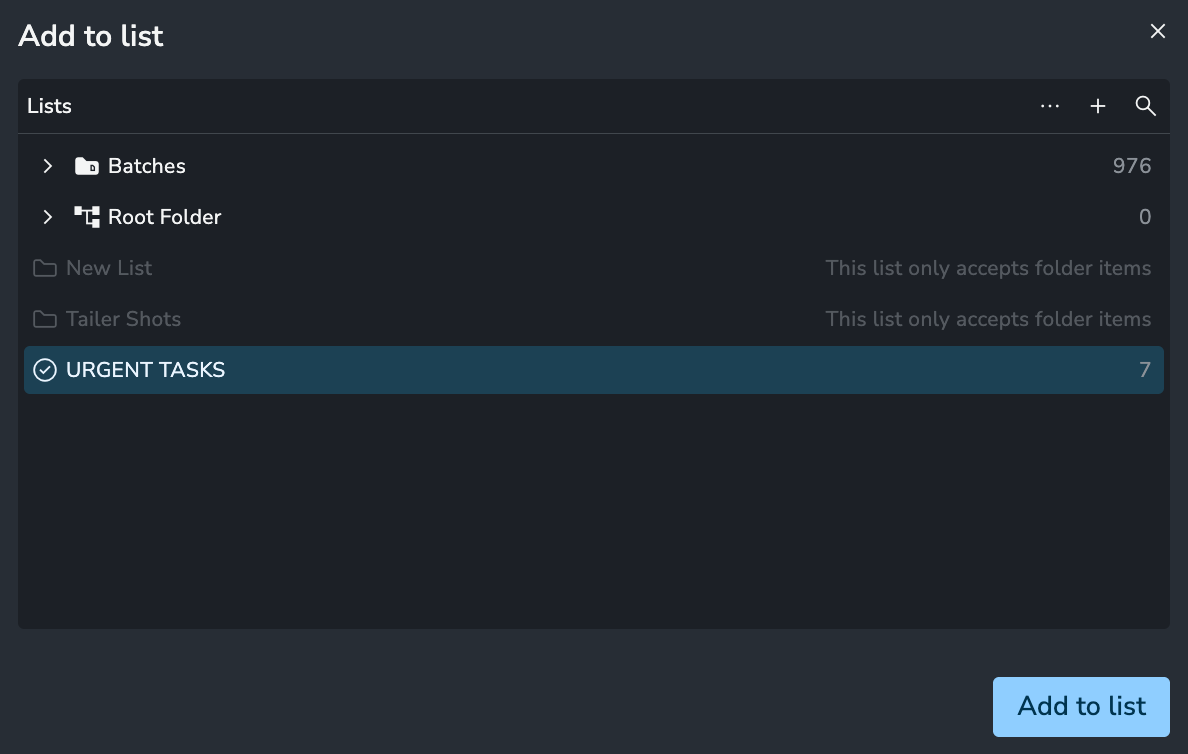
Add To List Redesign
Adding Folders, Tasks, and Versions to lists and reviews is now faster, more familiar, and optimized for large-scale projects:
Faster Discovery: Easily find the exact list you need by navigating organized folders or using the search bar.
Multi-List Support: Add selected items to multiple lists simultaneously with a single action.
❤️ Improvements
Feed: Show status on version activity #2167
Reload data button #2182
Details Panel: More menu delete option #2177
Lists: Add to lists redesign #2183
🛠️ Bugfixes
Lists: Copying table cells now copies correct list data #2184
Products: Ensure table cells are focused properly #2190
📚 Resources
Note: Ynput cloud hosted instances have automatic, scheduled updates. Self-hosted servers require you to update yourself How to Update Your AYON Server.
July 21st, 2026
Server
Releases 1.15.12 through 1.15.16 focus on overall stability, bug fixes, and performance enhancements, alongside a few handy quality-of-life additions.
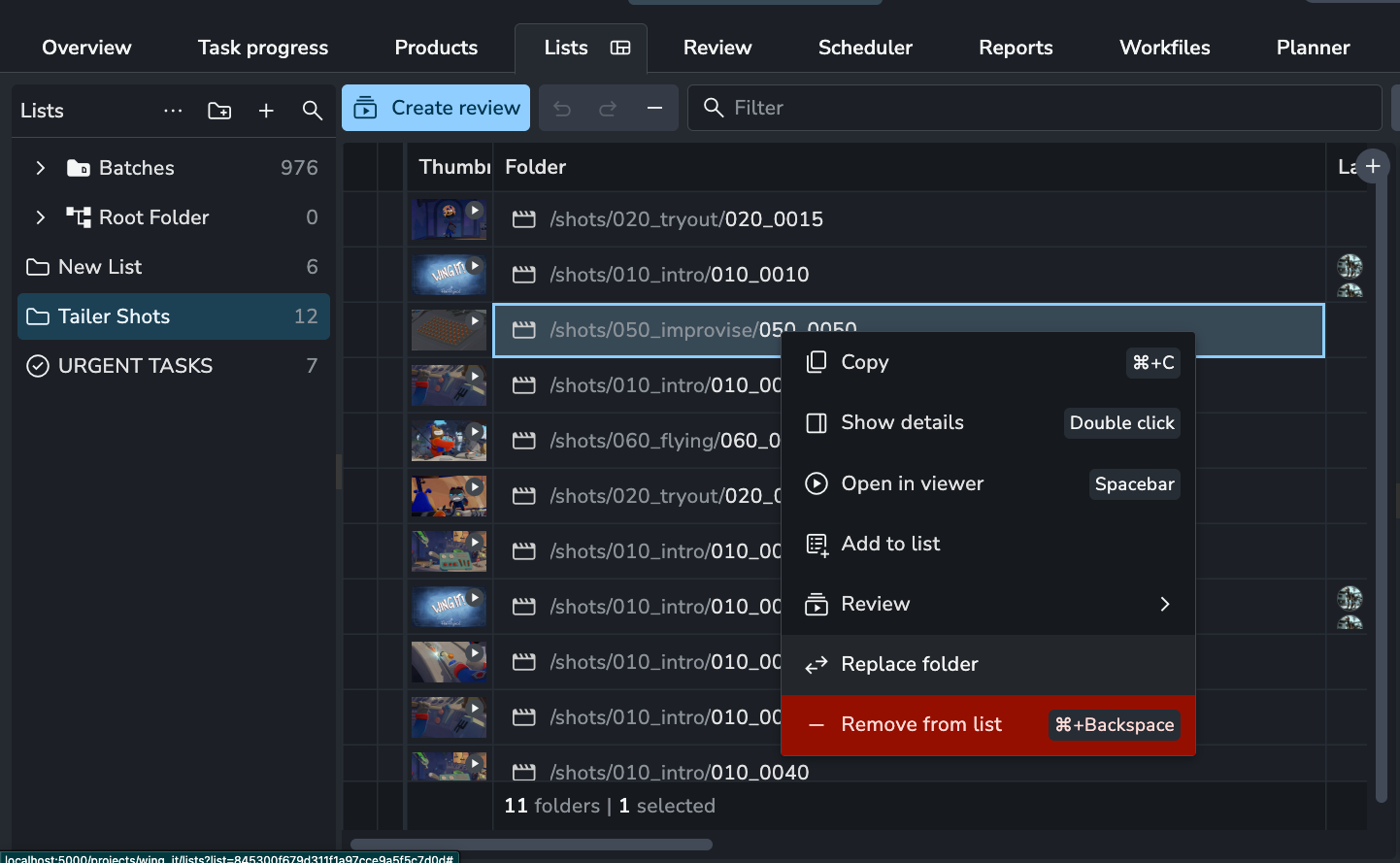
Replace List Items
Managing lists just got much faster. Instead of manually deleting an item from a list and then hunting down its replacement, you can now swap items instantly in place.
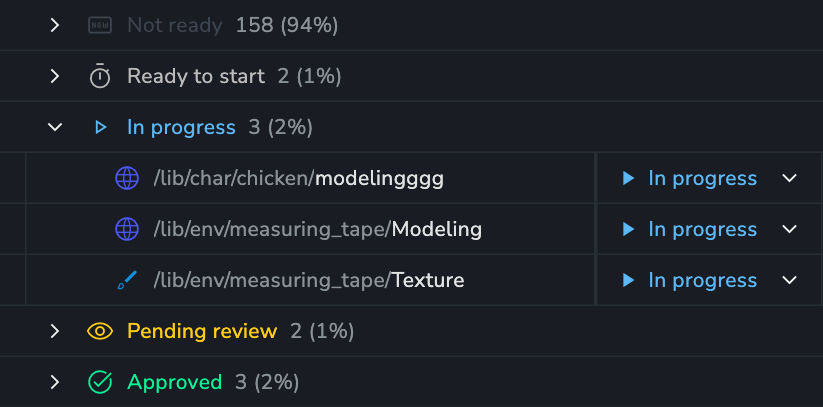
Group Counts ⚡
When grouping by a field, the number of items in the group and overall percentage is shown.
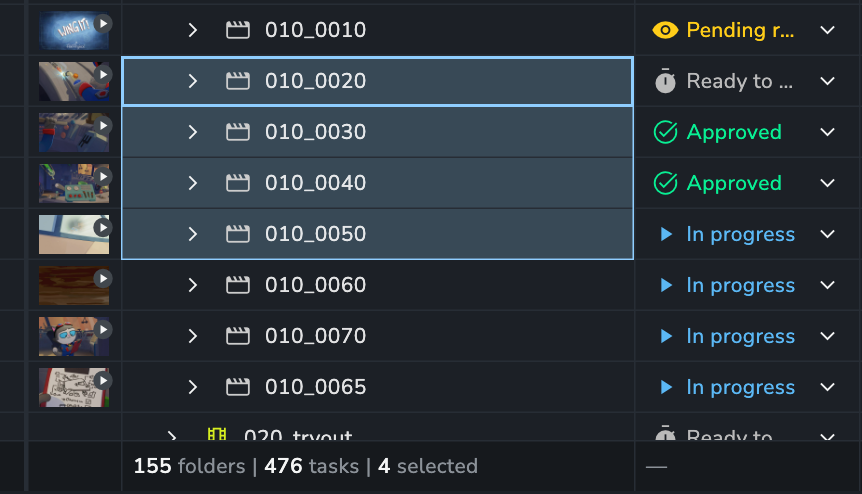
Summaries Selection Count⚡
The summaries bar now shows your current selection count.
🎉 New Features
Lists: Replace items #2141
Copy Representation File Path via context menu #2162
Inbox: Select and clear multiple messages at once #2168
❤️ Improvements
Overview: Drastically improve the speed of hierarchy browsing #2156
Summaries: Show selected count in name summary column #2171
Groups: show filter-aware count and percentage on group rows #2095
Expose product/task/folder type in version column stats by #1022
🛠️ Fixes
Table: Folder column copying does not work #2122
Optimise Review list updates #2123
Summary: Relative date filter breaks column-stats footer on Lists #2145
Filters: When a corrupt filter causes, tasks, products,
entityListItemsnot to load show reset button #2138Developer actions #2150
Enhance task filtering to include inherited attributes #1016
Summaries: Do not collect stats for disabled columns and by default they should be off #2146
Summaries: fix column-summary grouping and skip disabled fetches #2154
Entity lists: Sort items by product name #1000
Lists: Copying cells from the lists table skips values #2152
Filter: Ensure filter bar does not overflow and push items off the page #2169
Entity Picker: Use the keyboard can affect other shortcuts #2178
📚 Resources
Backend Changelog: 1.15.12, 1.15.13, 1.15.14, 1.15.15, 1.15.16
Frontend Changelog: 2026070, 20260710, 20260715, 20260716, 20260717
Note: Ynput cloud hosted instances have automatic, scheduled updates. Self-hosted servers require you to update yourself How to Update Your AYON Server.
⚡ Power Features are premium features included with the Studio or Pro subscription.
July 3rd, 2026
Server
This update includes several improvements, including CDN configuration in the settings, along with numerous bug fixes. Notable enhancements include improved performance on the Products page and a fix for filtering when items are grouped by folder.
❤️ Improvements

🛠️ Fixes
Versions: Add linked task #2073
Products: New and updated versions realtime events optimisations #2086
Links: Dialog no longer disappears during table updates #2094
Slicer: Complete rewrite to fix selection issues and pinned folder selection #2090
Summaries: Save column config to view, disable unused parent scope #2093
Lists: Right clicking on folder and creating subfolder does not work fix #2097
Overview: Fix filtering while grouping by folder #2110
📚 Resources
Note: Ynput cloud hosted instances have automatic, scheduled updates. Self-hosted servers require you to update yourself How to Update Your AYON Server.
June 19th, 2026
Server
This update brings some great new features, lots of quality of life enhancements and tons of (28) fixes. Here is everything we did from 1.15.2-1.15.7.
🏎️ Huge Performance Improvements
As everyone’s projects get bigger with more data published we found some bottlenecks that were slowing some things down. This was especially obvious when dealing with real production with almost a MILLION versions 🤯
There have been lots of optimisations to make the server significantly faster and more efficient. This should make everyday use of AYON faster and smoother for everyone.
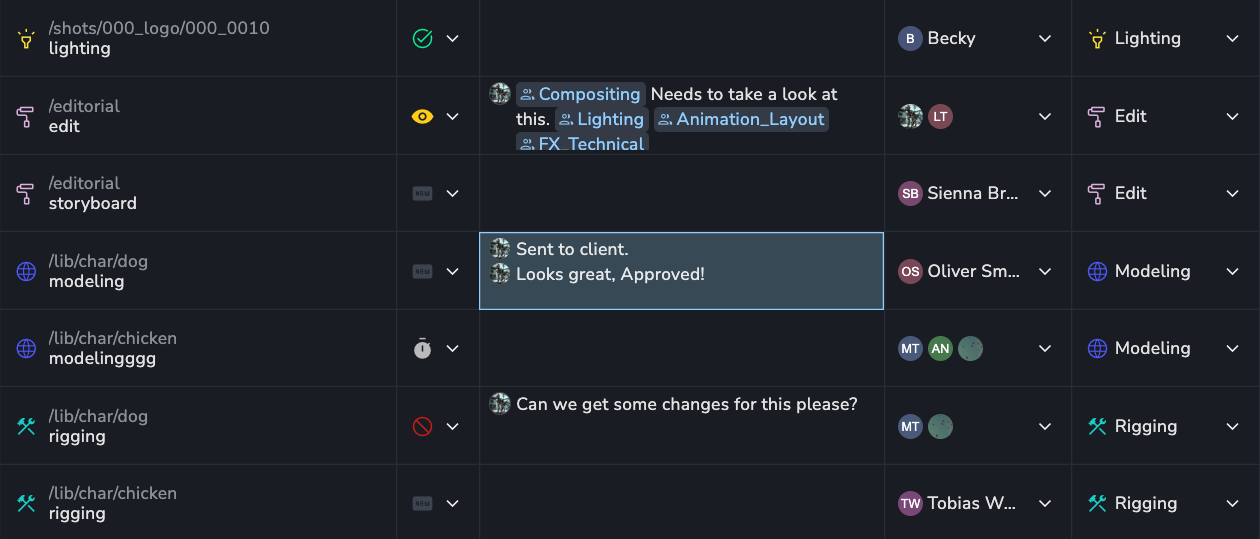
💬 Table Latest Comments
You can now see the 5 latest comments on an entity directly in the table. This makes sifting through large amounts of comments a lot faster, without ever having to open the details panel.
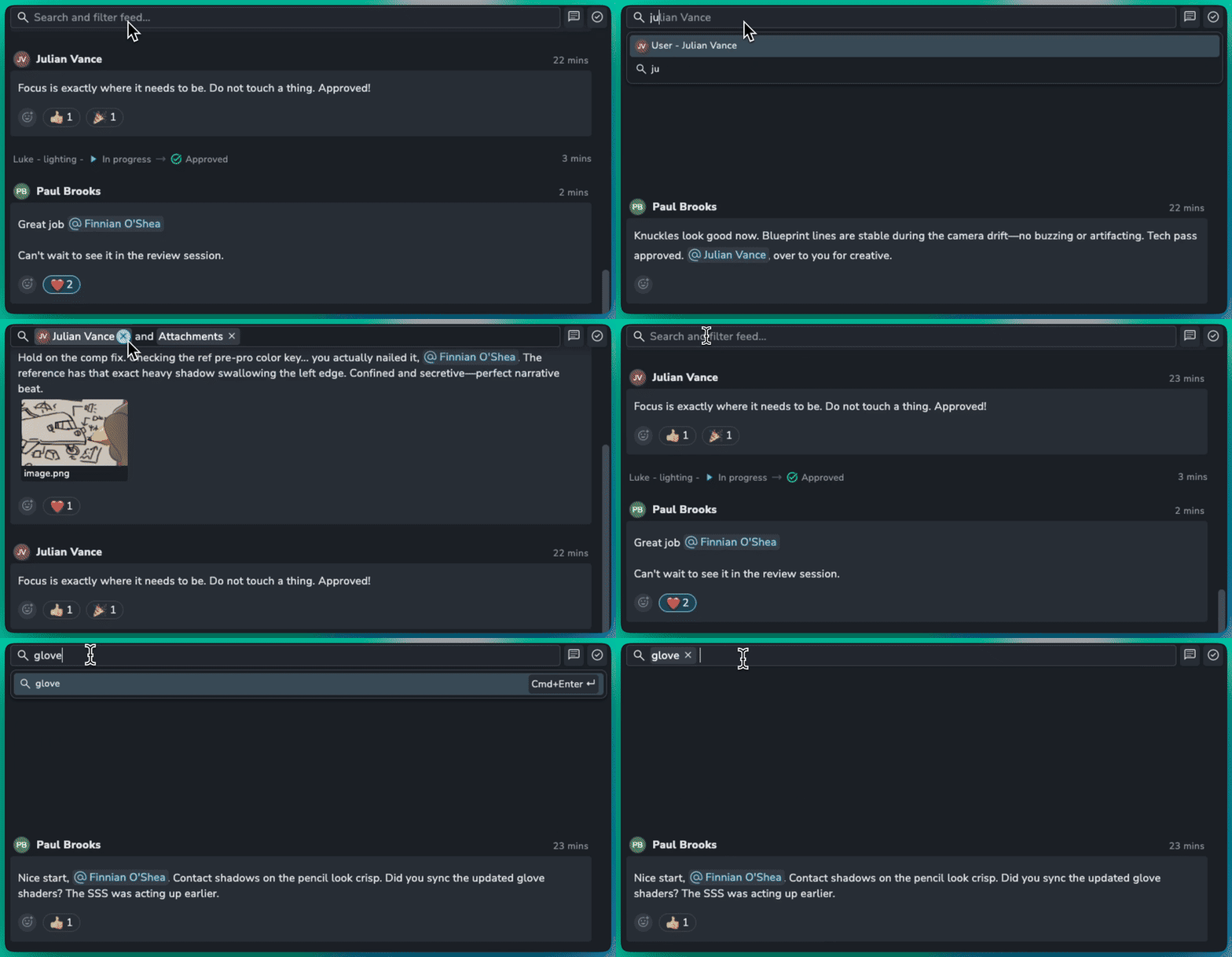
👁️ Activity Feed Filter
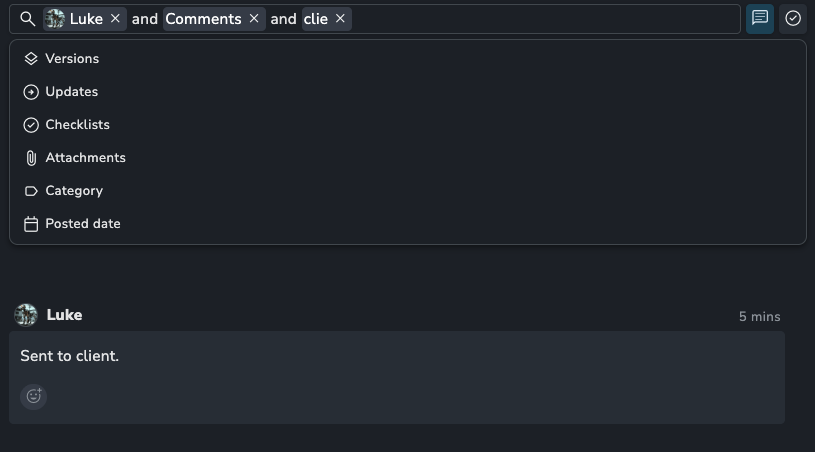
The activity feed now has an advanced filter bar so you can find exactly the comment you were looking for faster. Search for text in a comment or filter by exact matches like authors, checklists or date published.
The Search Filter bar has also got a refreshed design to make searching more initiative.
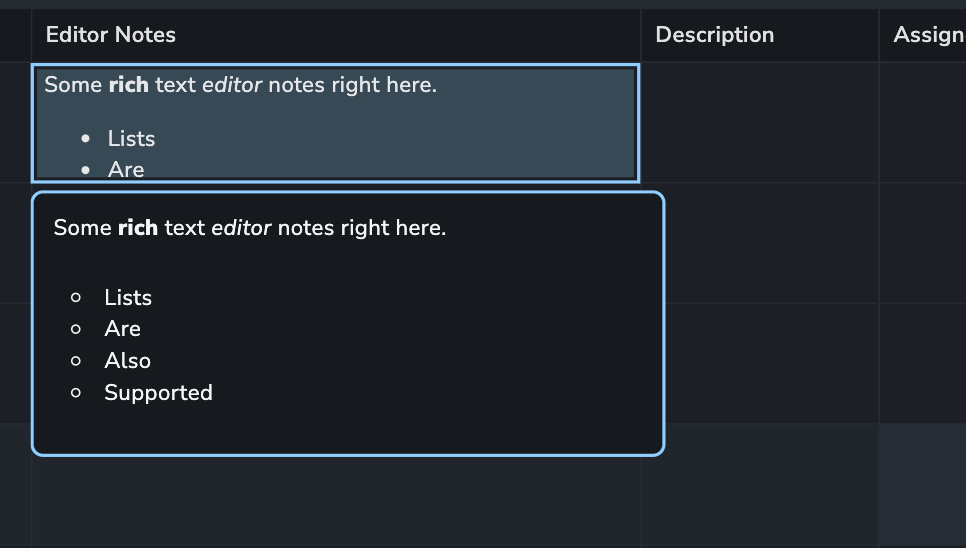
📚 Long Rich Text Attributes
You can now choose if your text attributes use short or long text formats. This lets you write rich and long text for those notes that need more detail.
🚀 Projects Page
We have completely overhauled the projects overview to make managing your studio's active productions faster and much more intuitive.
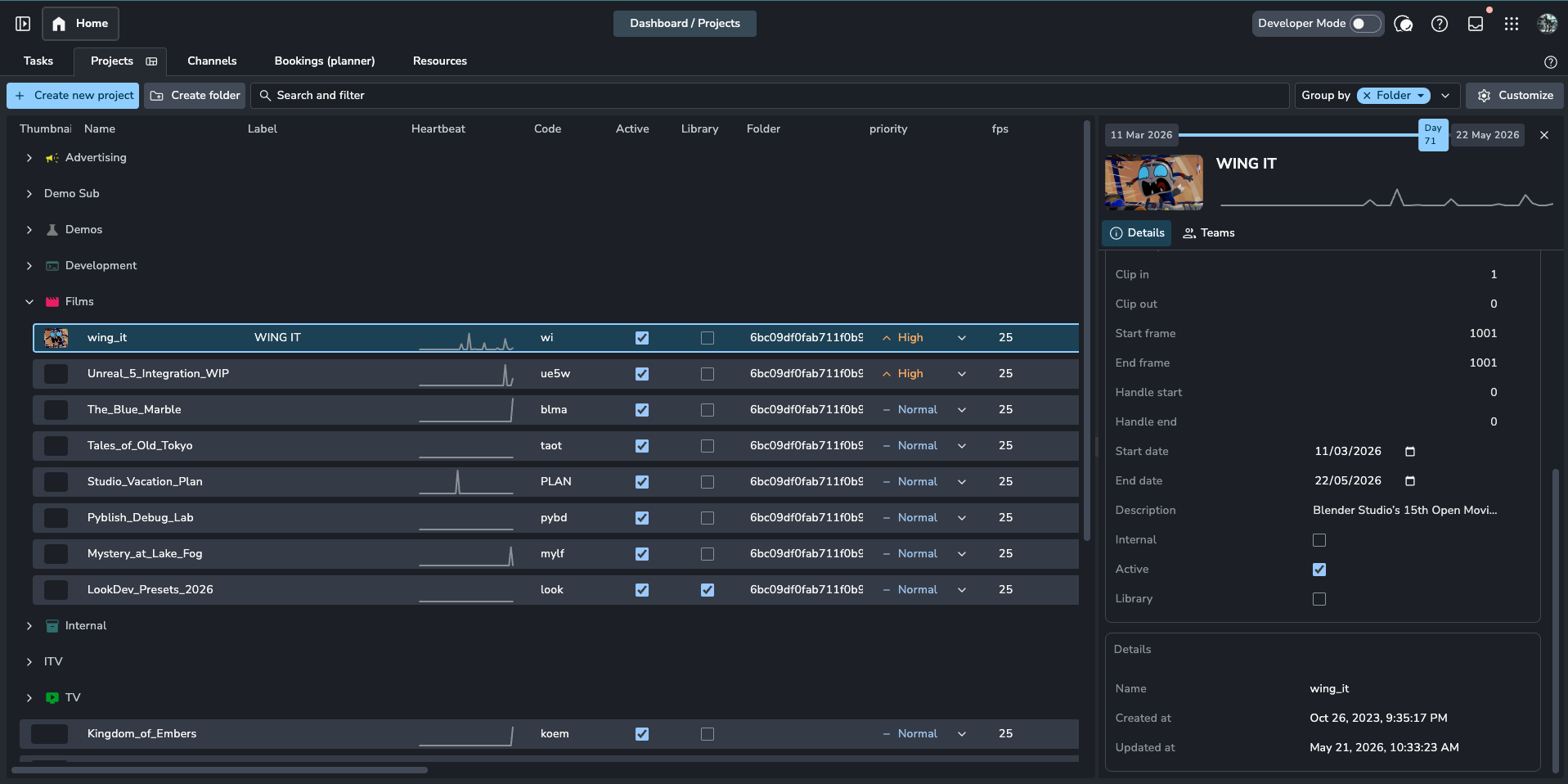
🖼️ Project Thumbnails
You can now set a Project Thumbnail directly within the project dashboard. This brings a more polished, visual look to the server dashboard.
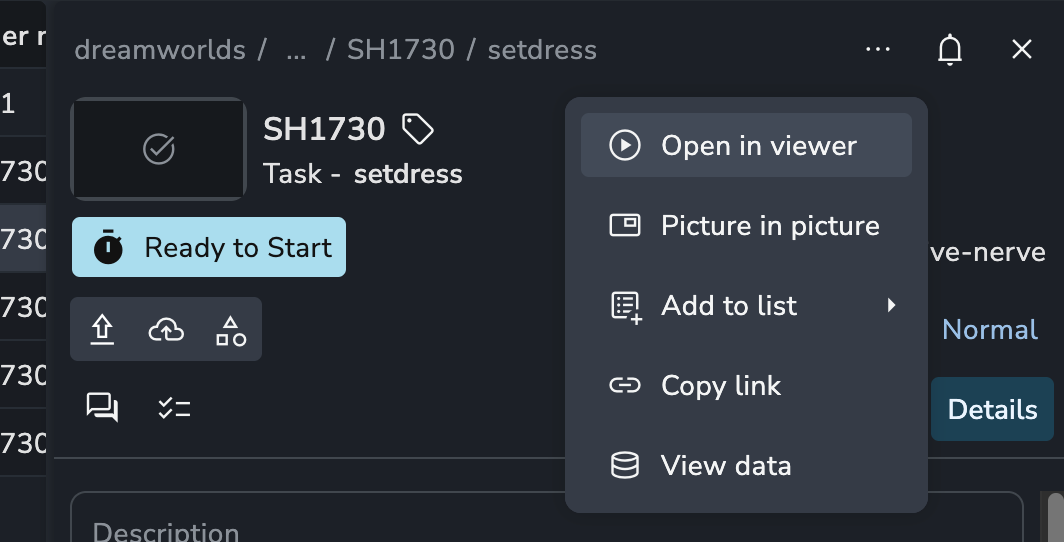
🛠️ Enhanced Details Panel
We’ve introduced a new "More" dropdown menu that centralizes key actions across the entire server UI.
💅 Enhancements
User invites: Bulk invite new users to AYON by email.
🛠️ Bugfixes
Overview: Folder grouping should not pin name column #1964
Project folders: Hide empty folders with restricted projects #1965
Slicer: Custom attrib enum values do not work #1960
Date: Setting date can set it to day before #1972
Fix ternary statement determining list folder scope between storyboards and review sessions #1976
Details panel: Add version upload dialog with product picker and task linking #1973
YN-0683: Entity picker disable versions without reviewables #1975
Reviewables: Using keyboard causes double selection #1987
Group by: lost when having additional view opened when refreshing the page #1985
Fix skeleton project handling in inbox #925
Comments: fix copy/paste of mentions #1997
Home: Details panel can become 0 width #2007
Overview: unified folder and task search #2013
Columns: Unify default columns and filter scopes across pages #2039
Slicer: Save selection and expanded state to local storage #2022
Lists realtime updates fixes #2026
Links optimisations and table column defaults #2025
Kanban query invalidations #2037
Projects page: Reordering columns breaks the view by @Innders in #2043
Table: selection column and re order column should always be visible #2044
Views: Fix issue where a view could sometimes disappear #2046
Thumbnails hash #2040
Slicer: persist selection per project, page and slice type #2048
Overview: do not include slicer folder in table #2052
Review: Clicking on details thumbnail not opening the viewer #2054
Representations: make columns resizable #2049
Summaries: fix Ungrouped group visibility and table layout #2055
Links: Show when links are loading in the table #2072
📚 Resources
Frontend Changelog 1.15.7, 1.15.6, 1.15.5, 1.15.4, 1.15.3, 1.15.2
Backend Changelog 1.15.7, 1.15.6, 1.15.5, 1.15.4, 1.15.3, 1.15.2
Note: Ynput cloud hosted instances have automatic, scheduled updates. Self-hosted servers require you to update yourself How to Update Your AYON Server.
May 4th, 2026
Server
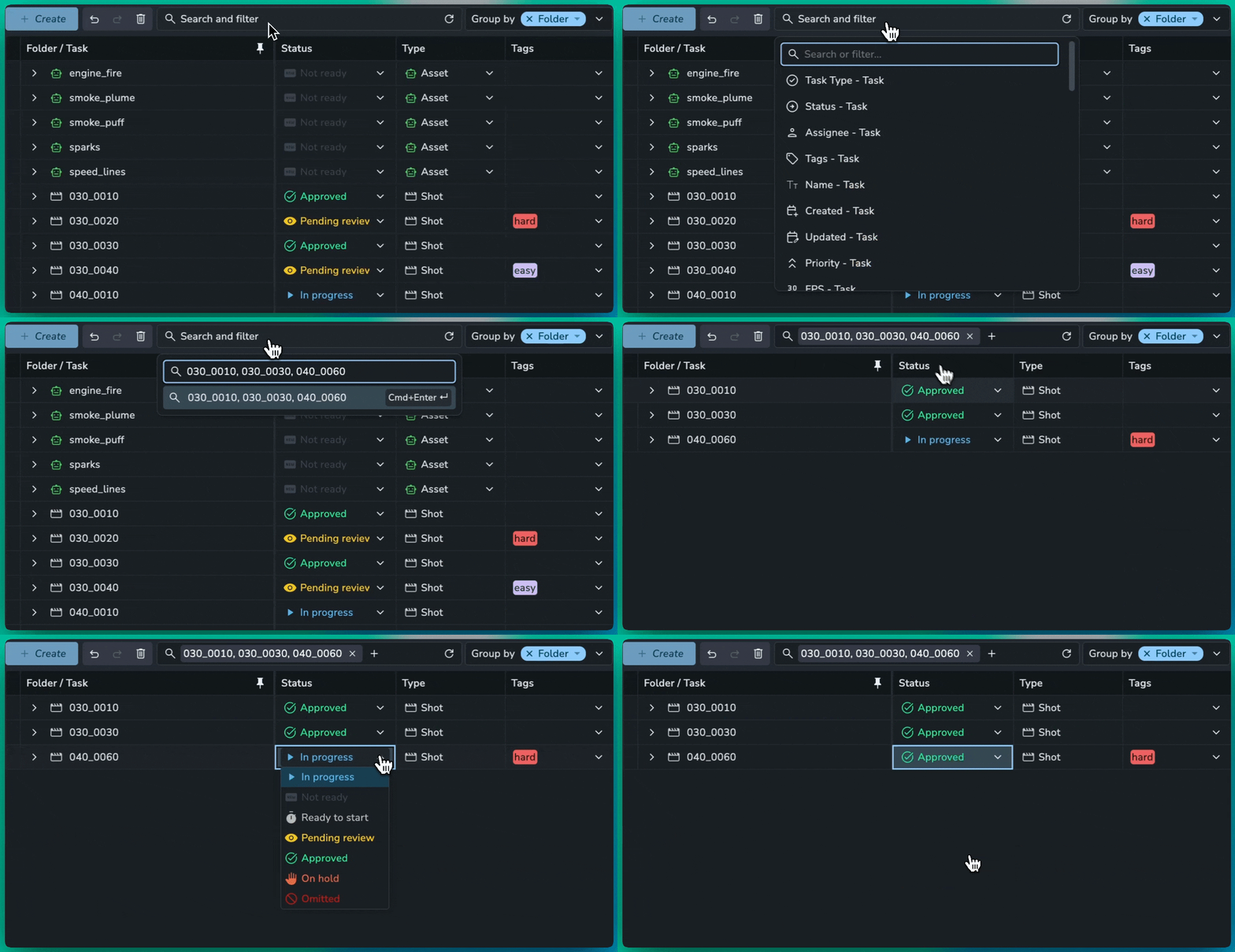
This release is packed with a massive amount of new features and an equally impressive list of bug fixes to make your production tracking smoother than ever.
📥 CSV Import
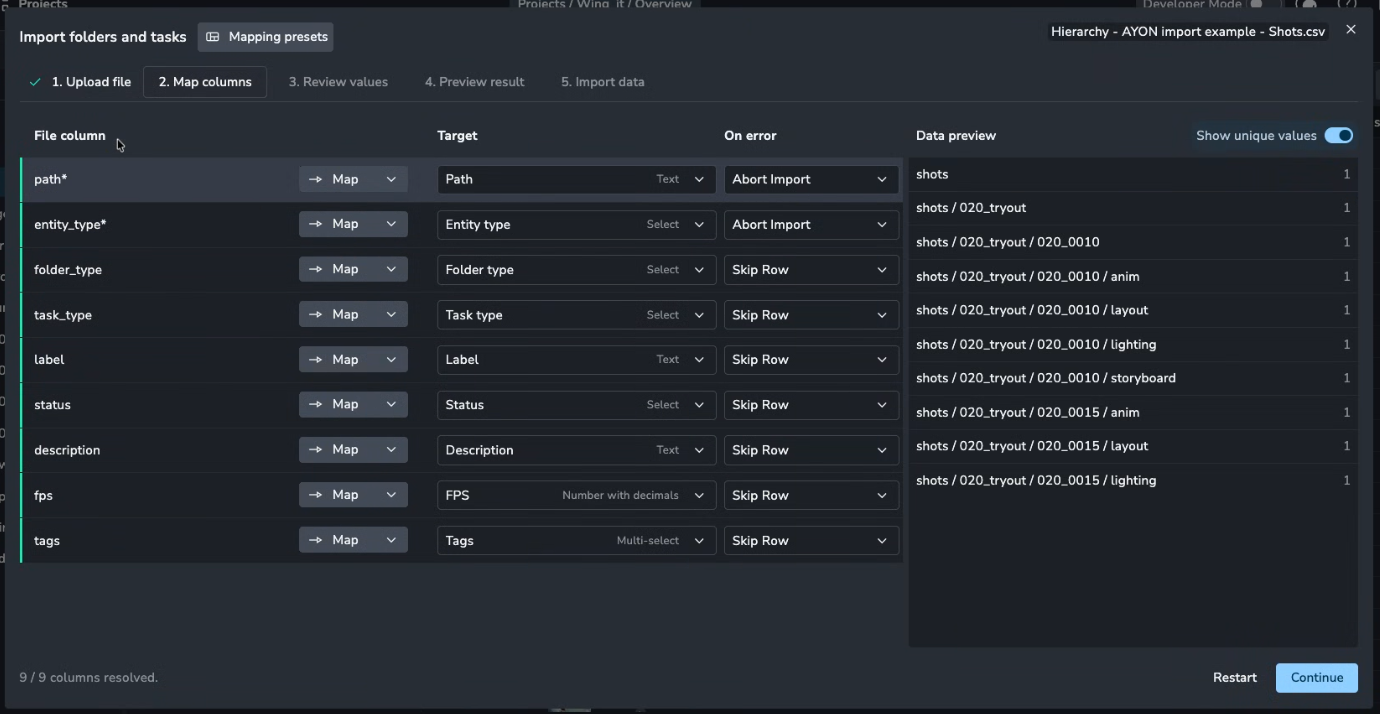
Skip the manual setup with our flexible new importer. Whether you’re building project hierarchies, populating lists, or onboarding your entire team, getting data into AYON has never been easier.
Smart Mapping: Effortlessly match spreadsheet columns to AYON fields.
Paste from Clipboard: No file needed—simply copy rows from Excel or Google Sheets and paste them directly into the browser.
Presets: Save your configurations as Presets to automate future migrations.
🍰 Slicing by Lists
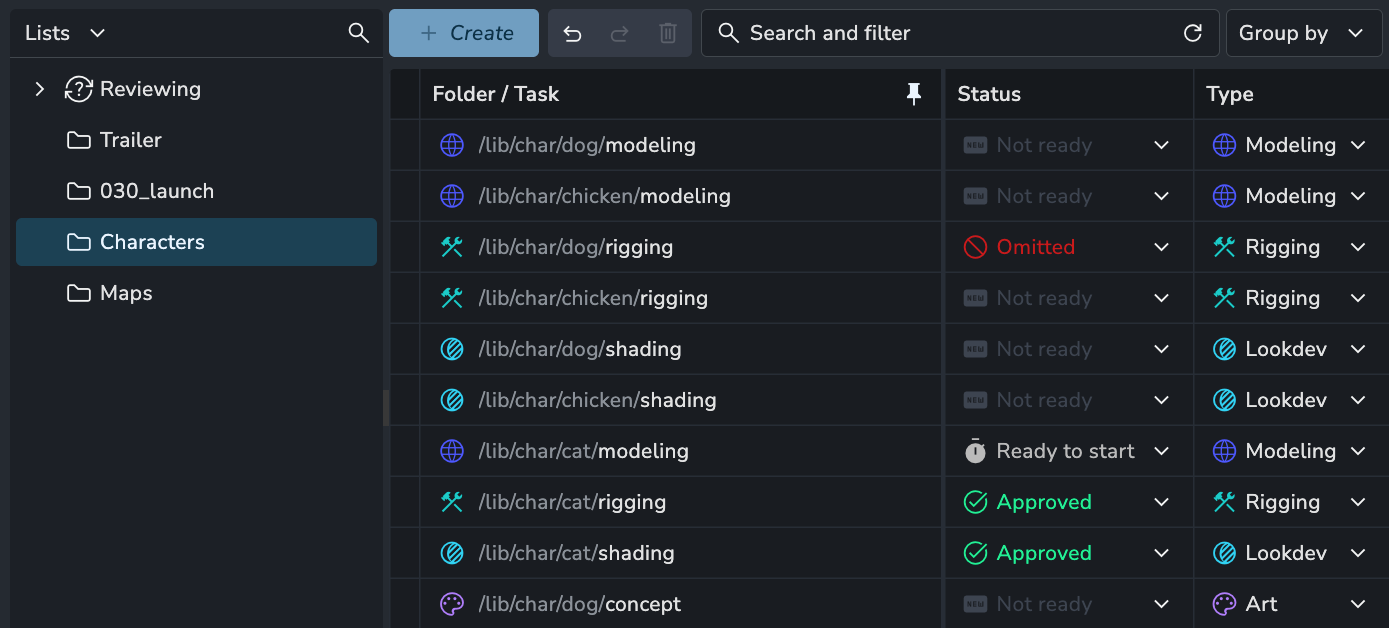
Custom Lists are now integrated directly into the Slicer panel.
Quick Filtering: Instantly isolate table items based on specific list memberships.
Cross-Context View: See exactly how your curated lists relate to the broader project production state.
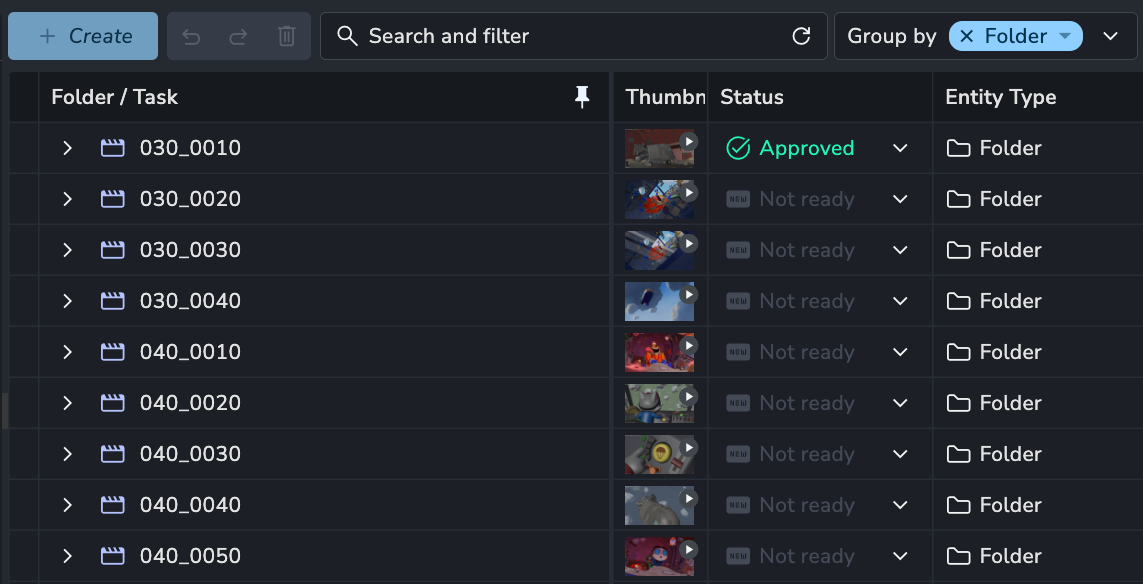
🗂️ Group by Folders
We have overhauled the grouping logic on the Products and Overview pages to provide a more intuitive and flexible experience.
Grouping by folder: You can now group tasks by folder, making it easy to create shot or asset list views.
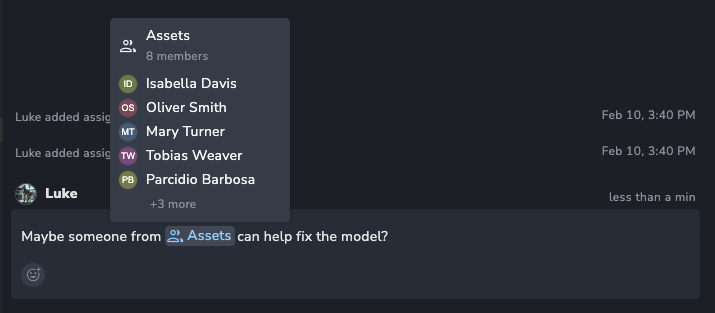
📣 Mention Teams in Comments
You can now mention an entire Team in the Activity Feed.
Mention a team (e.g.,
@Lightingor@Compositors) to automatically notify all its members in their Inbox.
🎉 New Features
❤️ Improvements
Sort "Copy Settings from" addon version lists by semver #1905
Kanban: Add group by Parent Folder #1919
Filters: Allow filtering by date range on products page #1920
Attributes: Redesign with user friendly types #1936
Workfiles: Show createdBy and updatedBy users for a workfile #1949
Deleting Entities: Improve message of what will be deleted #1922
Search for multiple folders at the same time #1932
Optimized reviewable thumbnail creation and pre-caching #908
🛠️ Fixes
Overview: Tasks "Folder name" column is empty when grouping tasks #1903
Attributes: Delete attribute at top of page does nothing #1904
fix: reviewable files with incorrect unsupported characters failing #1908
Comments: Properly fix and style empty lines #1911
Settings: Fix checking "enabled" expanding collapsed sections #1929
Settings: Fix textarea widget enter misbehaving #1928
Grouping: Overview view switch preserves old grouping fix #1934
Subtasks: Ensure users have proper access to assignees dropdown options #1952
Overview: Group by folder and hierarchy broken #1946
Views: Changing view permissions does not move view to correct section #1955
Products: Product base type filter #1939
List: Fix missing version attributes in the table view #1957
Fixed background process event sender property #899
Fixed addon loading isolation #900
Fixed EntityList transaction management #904
Fix user enum access #912
BaseTypes: Filter and grouping #922
📚 Resources
Note: Ynput cloud hosted instances have automatic, scheduled updates. Self-hosted servers require you to update yourself How to Update Your AYON Server.