AYON 1.17.2 - Multi-Select Editing & Project Tags
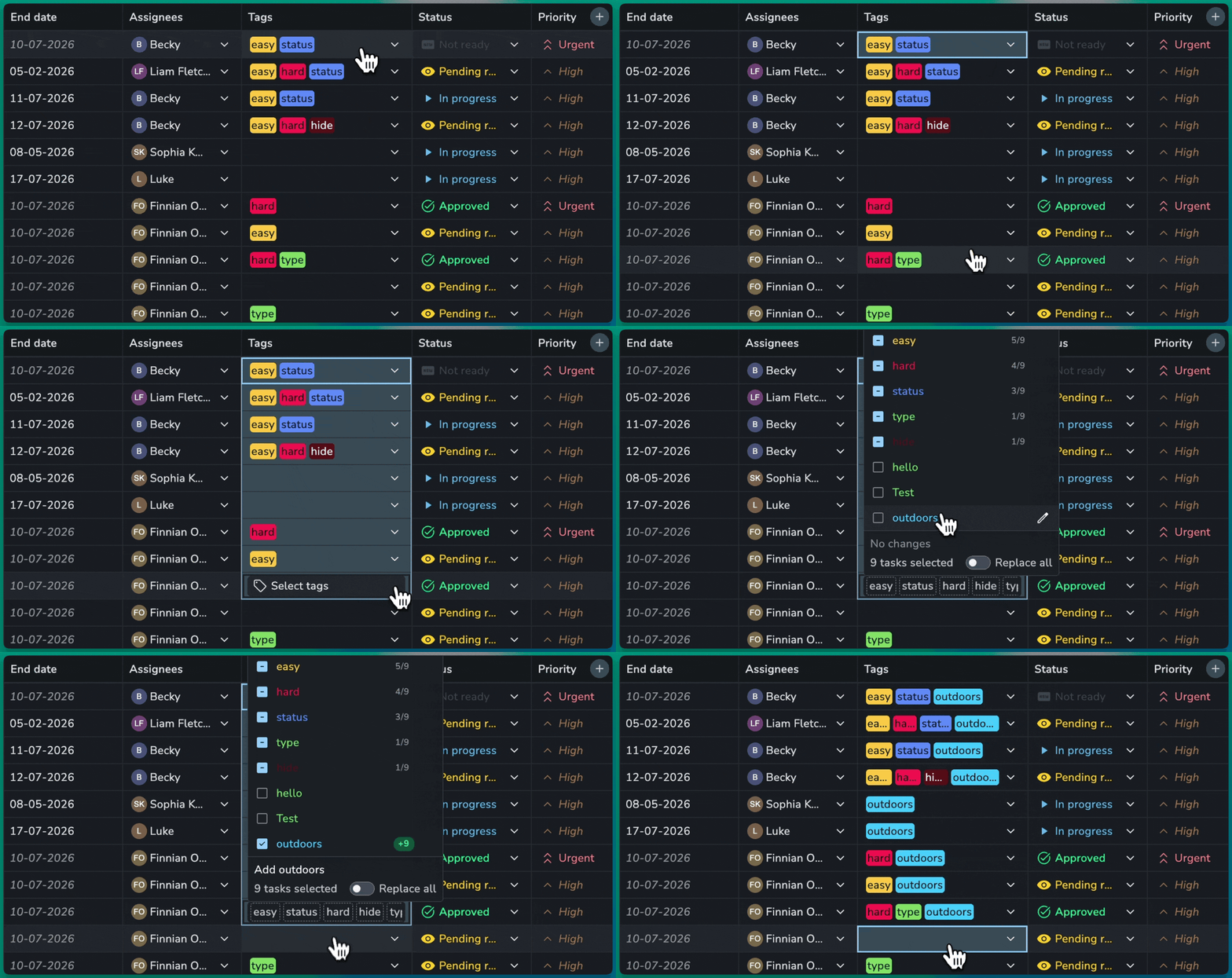
Add an option to many items at once, and create coloured project tags right from the dropdown.
🪄 Edit Many Items at Once
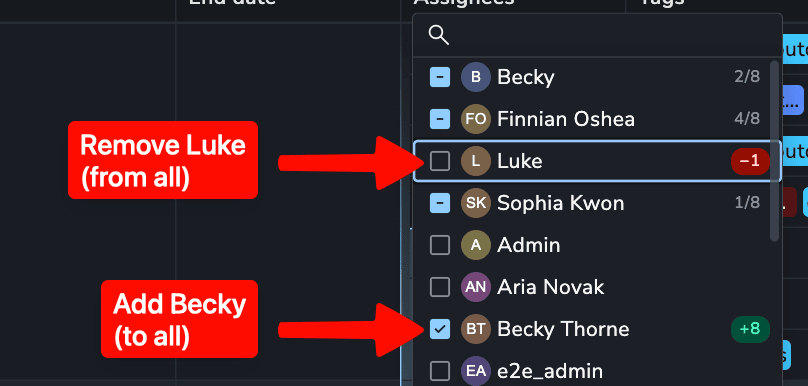
Select several items and add a value to all of them, without replacing what each one already has.
Several at once: Select many table cells or entities, and the field shows what they have in common.
Add without overwriting: Add an option to all of them, and each keeps its other values.
Replace all: Give every selected item exactly the same values when you need to.
🎨 Project Tags From the Dropdown
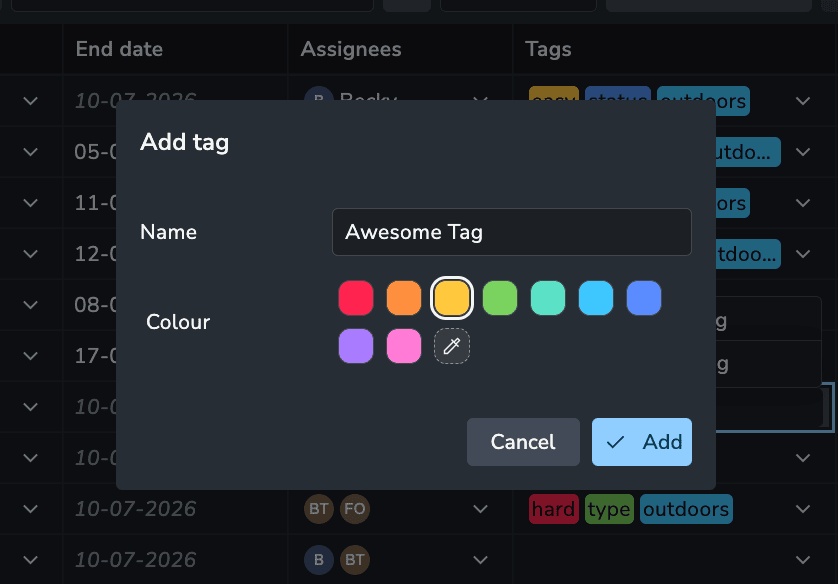
New tags become project tags with their own colour, without a trip to the project settings.
Create with a colour: Type a new tag name and pick its colour in one step.
Recolour: Change a tag's colour from the dropdown, and it updates everywhere.
Any project: Add new tags from the table and the Details tab, even in projects with no tags yet.
🛠️ Bugfixes
Lists: Choose a folder when creating a new list from the Add to list menu #2523
CSV import: Files saved with a UTF-8 BOM, as Excel does, import correctly #1180
Mentions: Suggestions match several comma separated terms #2509
Attributes: Users without a licence are listed again in Users option lists #1222
Filters: Searching descriptions for text with underscores, like foo_bar, finds a match #1214
Attributes: Inherited values refresh correctly after attributes are changed #1234
📚 Resources
Note: Ynput cloud hosted instances have automatic, scheduled updates. Self-hosted servers require you to update yourself How to Update Your AYON Server.