Review 1.0.0 - Frame Comments & Focus Mode
Review reaches 1.0.0 with comments you can pin to a frame, a new focus mode for trying things out, improved UX, better frame accuracy and a cleaner view for guests.
📍 Link Comments to Frames
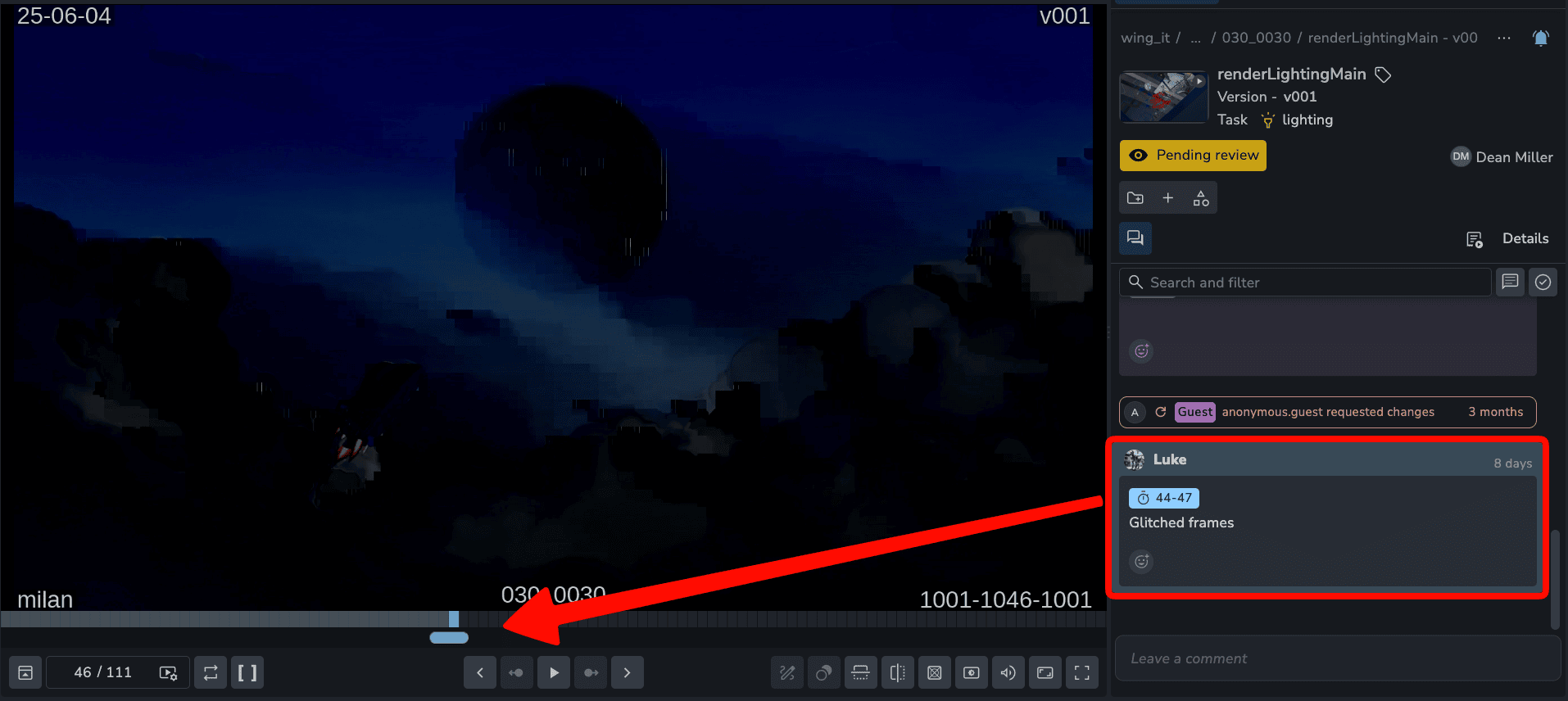
Point a comment at the exact moment it is about.
Single frame: link a note to the frame where the problem is.
Range: link a note to a stretch of frames, like a shot that pops for six frames.
Jump to it: click the link in a comment and the player goes straight there.
🎯 Focus Mode
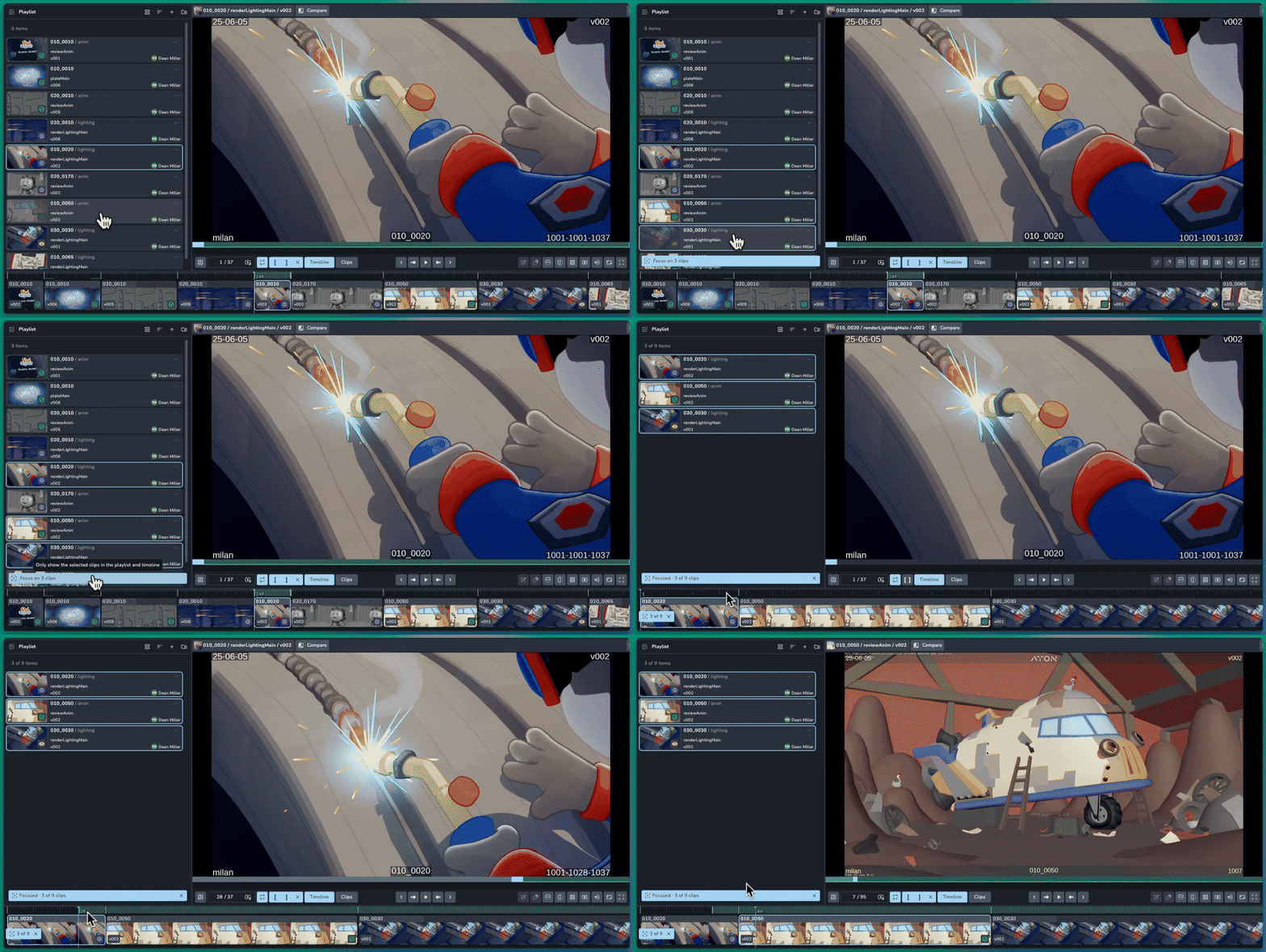
Pick a few clips and review just those, without touching your original review session. It is a sandbox for trying things out.
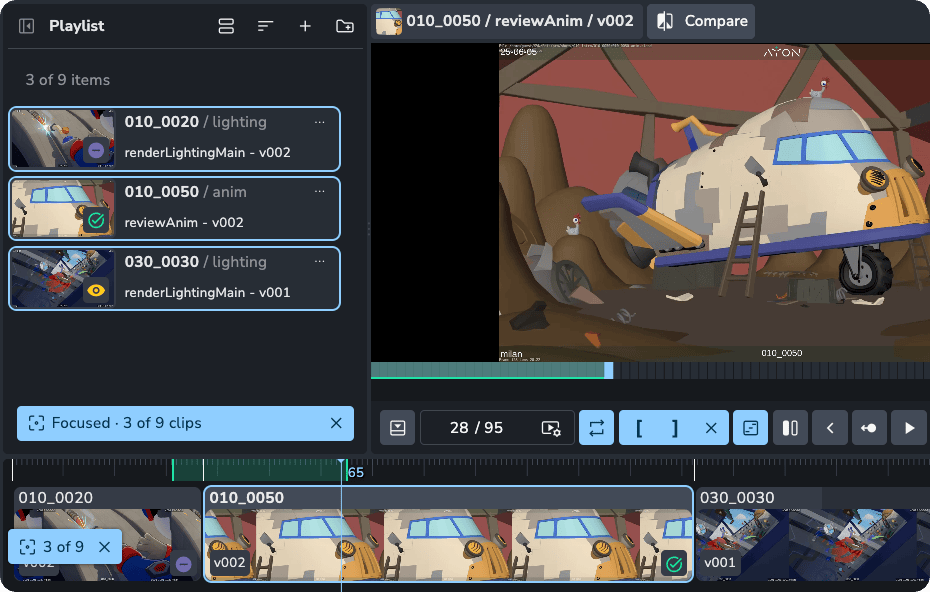
Focus on your selection: select several clips in the playlist and click Focus at the bottom. The timeline shows only those clips and everything else is hidden.
Try ideas freely: reorder clips, section them, remove them, or swap in different versions to compare. None of it changes the original session.
Keep it or drop it: Discard or save the changes you made the focused clips.
🧹 A Cleaner Guest View
Guests get a simpler player, built for giving feedback.
Compact controls: audio, reset zoom, fullscreen and one overflow menu.
Approval at a glance: clip cards show Approved or Changes requested instead of internal statuses.
🎉 New Features
Link comments to frames #293
Focus: show only chosen clips in the playlist and timeline, the same for everyone in a synced session, including people who join later #286
Compact guest view with approval status on clips #285
Session header shows the number of items #285
❤️ Improvements
Warning icon on clips that may play badly: unsupported or unoptimised files, larger than 4K, or very high bit rate #297
The clips view follows the playing clip, and only one clip looks selected after you click it #297
Volume shows 0 when muted #297
Frame dividers on long clips no longer merge into a solid block #297
Clear in and out points moved from P to Alt+X, because P clashed with the annotation tools #297
Confirmation before removing an open guest link #299
Share terminology renamed #265
🛠️ Bugfixes
Pressing O to set an out point no longer types into the comment box #297
Synced strokes and unsaved annotations getting lost #294
Custom studio logo not showing for guests #264
Adding clips to a review session from the Review tab #268
Sections update setting the wrong grouping #274
Open links now reuse existing sessions, and replacing a guest session works
Review is a premium addon included with the Studio subscription, or as an extra with a Pro subscription.