Planner 2.1.0 - 📈 Capacity & Workload Tracking
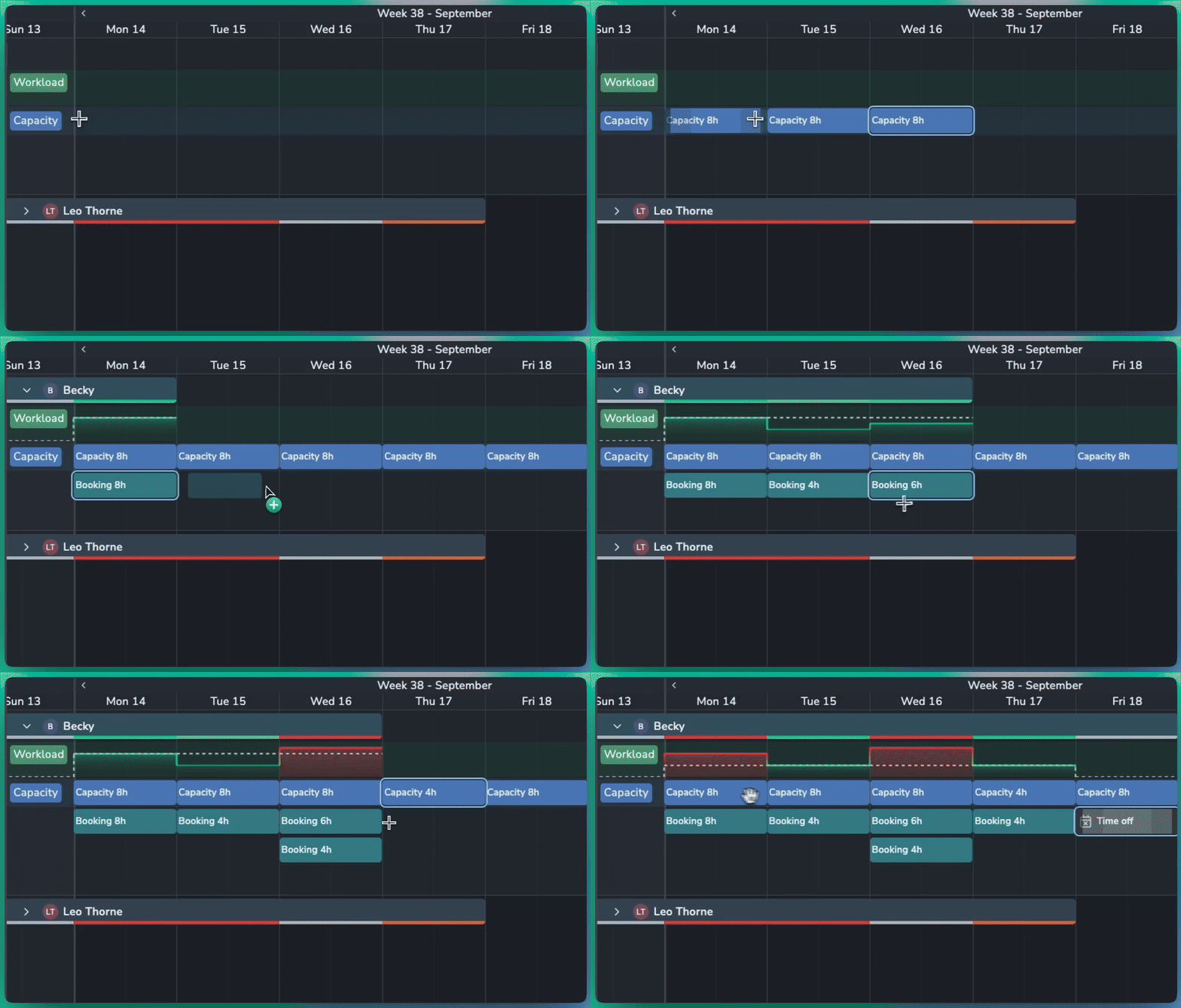
Plan resource availability and balance workloads with the new Capacity and Workload features in Planner.
📈 Capacity & Workload
Set Capacity: Define how many hours a resource is available to work, either for a specific day or across a longer period.
Hours per Day: Set a daily capacity, such as 8 hours per day, and Planner automatically calculates the total for the selected period.
Workload Graph: Compare booked work against available capacity. The dotted line shows the resource's total capacity for each day.
At-a-Glance Status: Quickly identify workload levels:
⚪ Grey: Capacity is available
🟢 Bright green: Workload matches capacity
🟠 Orange: Booked slightly over capacity
🔴 Red: Booked significantly over capacity

Smarter Scheduling
Time Off: Mark a booking as Time Off to set capacity to zero for that period and highlight any conflicting work.
Specific Hours: Create specific hours of capacity or bookings like from 9am-5pm.
Flexible Bookings: Set the number of hours a booking uses, even when it spans multiple days. For example, an 8-hour booking across two days can represent 4 hours of work per day.

🛠️ Planner Improvements
Duplicate Events: Quickly duplicate bookings or capacity to the next day or week.
Move Events: Move bookings and capacity forward by day or week without dragging them manually.
Planner is a premium addon included with the Studio subscription, or as an extra with a Pro subscription.