AYON 1.13.1 - Products Page (Browser redesign)
This release contains an important fix to a bug that would cause the browser tab to crash.
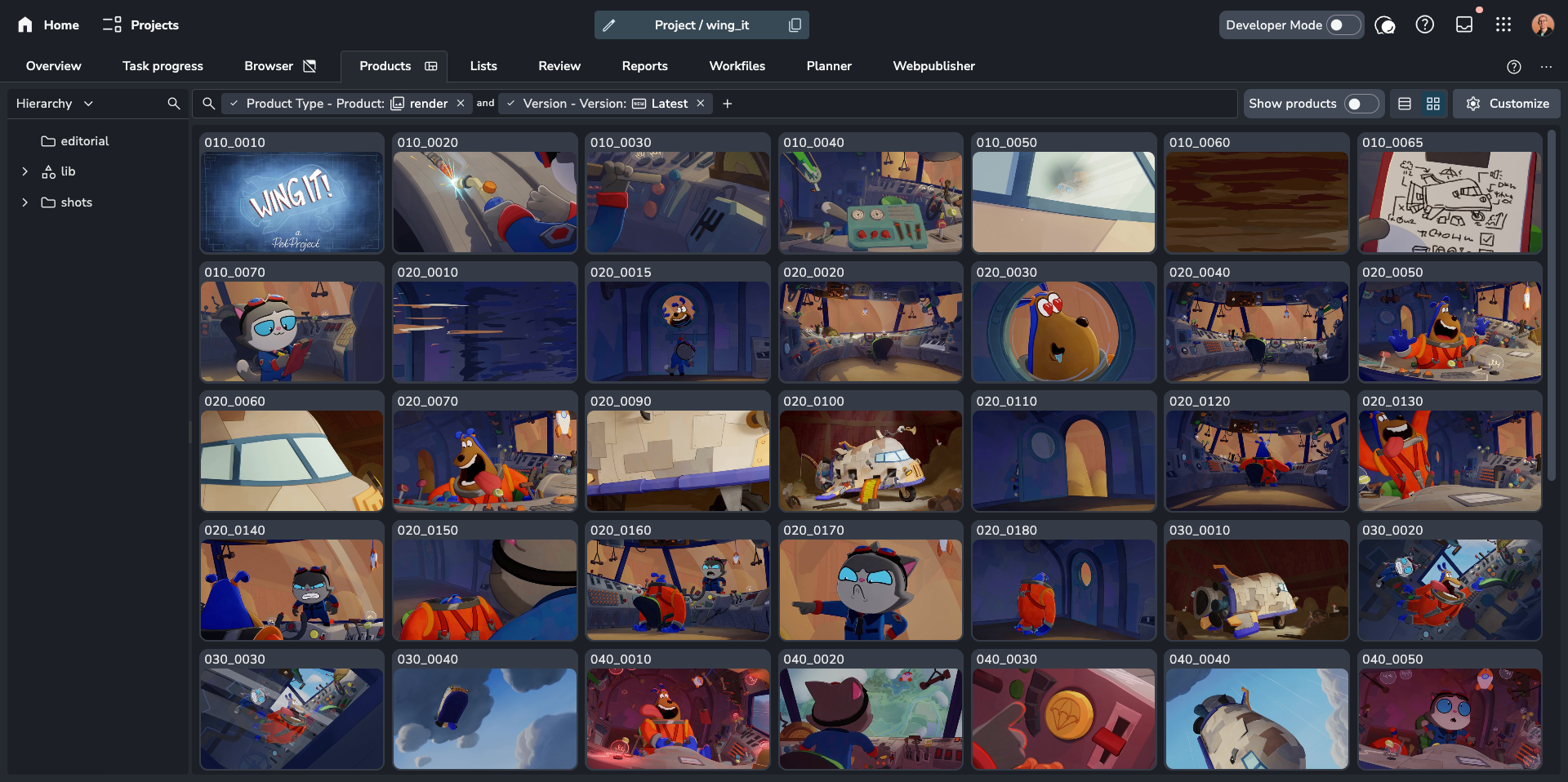
🚀 New Products and Versions Page
We've completely redesigned the way you interact with published products and versions. Now you have advanced control over viewing, filtering, and managing your published work.
Flexible Views: Switch easily between a visual Grid View with cards or a data-rich Table View.
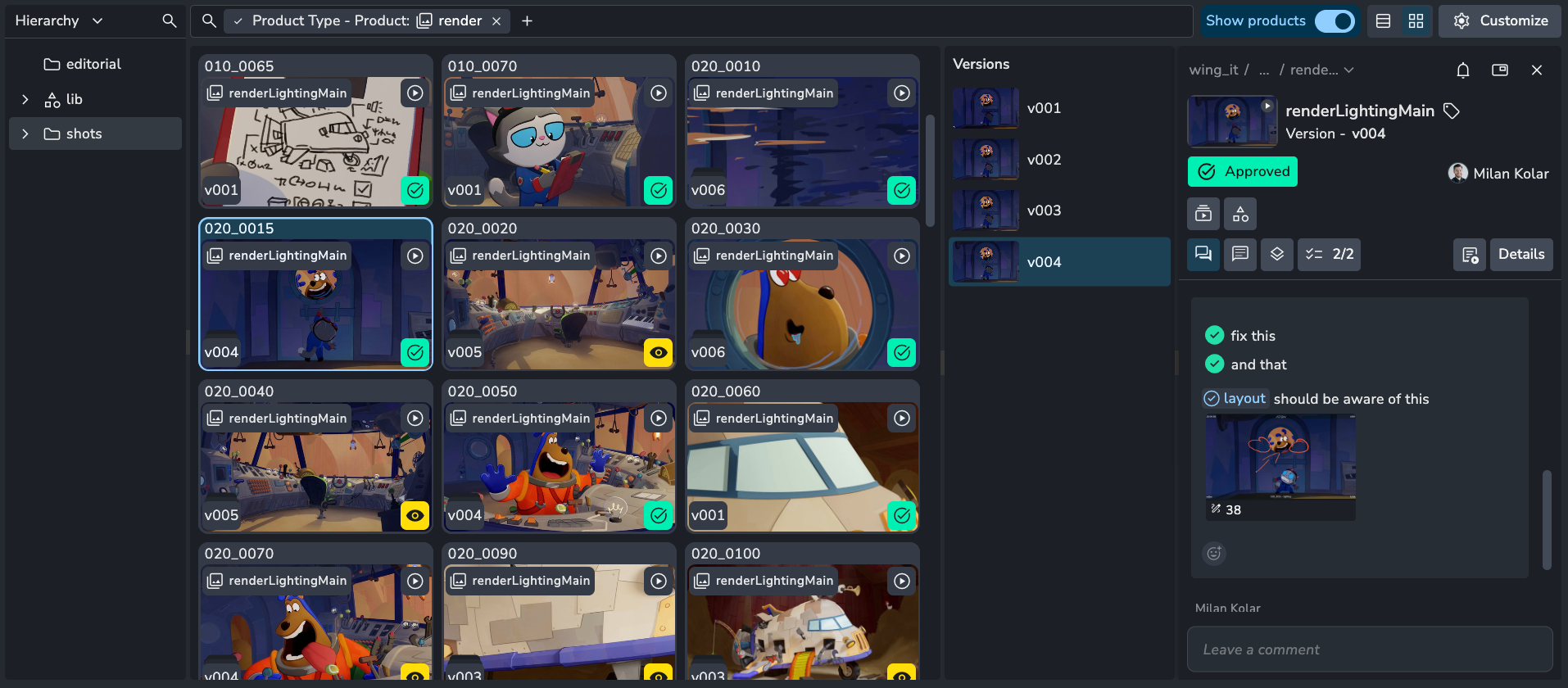
Focused Navigation: Toggle between viewing individual Versions or grouping them under their parent Products.
Slicer Filtering: Use the new Slicer panel for quick filtering by Hierarchy, Task Assignee, Status, Author, and Product/Task Type.
Advanced Logic: Apply complex filters, including filtering products based on the attributes of their versions (e.g., show products with an approved version).
Quick Preview: Select an item and press
Spacebarto open it instantly in the media player.Read more here: Products and Versions Page
This new page replaces the deprecated Browser Page. Go to settings/server to re-enable it.
❤️ Improvements
Default Project Tab #1506
Bundles: Addon search filter #1603
Workfiles: Add detail dialog and delete context options #1638
Automatic server addon settings migration #789
🛠️ Fixes
New Entity: Changing type resets label when it should not #1607
Overview: Disable folder type selector for folders that have versions #1609
Error loading dynamically imported module #1595
Table: Thumbnail column width scale with row height change #1617
Access Groups: Use same naming validation on server #1627
Products: Has reviewables filter and product type grouping #1633
Slideout: Detach feed selection state #1610
Launcher/dependencies manager: Inability to easily cancel/close the window #1626
Projects: Ensure projects cannot be selected in the background (archived) #1640
📚 Resources
Note: Ynput cloud hosted instances have automatic, scheduled updates. Self-hosted servers require you to update yourself How to Update Your AYON Server.