Unreal: Render/Publish gets name from nested subsequence
If I have subsequences within my shot then my render/publish will get that name, resulting in some really funky names sometimes depending on what your nested sequence is :)
Example below
Subsequence inside my shot is called “seq010_s040_anim”
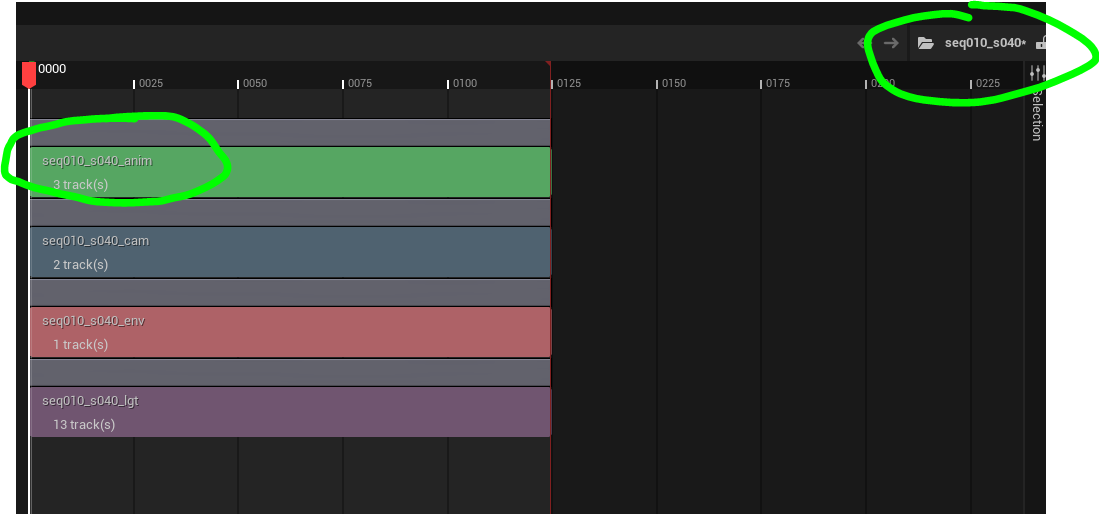
My render instance/variant is called “render_lighting_s040”
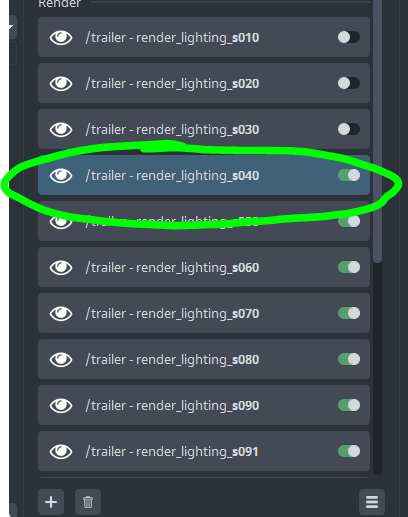
When I render out the final publish will be like this
“render_lighting_s040_seq010_s040_anim” (where the last part of the name is a subsequence within my shot)
what I would expect is “render_lighting_s040”
Log in to comment and vote
Comments4
Mustafa Zaky Jafar
So, it follows
{product[type]}{variant}_{sequence_name}I think it might be related to this line
https://github.com/ynput/ayon-unreal/blob/ea0f2423ff4e270799ec5d9db130f918a0dd8872/client/ayon_unreal/plugins/publish/collect_render_files.py#L61
I think the instances you are seeing are not the ones to publish but the ones are used to generated the publish instance on runtime. could you share a screenshot of how the instances look like after the publishing is done?
Olle Rydberg
Here is how my render instances look like
These are individual sequences that I added one by one… if I add just the master sequence the result is the same.. it will add any nested subsequence to the name of the render/publish
I guess the developers idea was that it should take the name of whatever subsequence is in the master sequence… but it is actually taking the name of all nested sequences inside of shots as well
Maybe this is something we need to make a call to just show what is happening
Mustafa Zaky Jafar
I mean in the publisher, I believe you’ll find more instance.
Olle Rydberg
Here is what it looks like after I have published in the details
So marked in blue are the names I would want
Marked in red are the names I get (where it adds nested subsequences to the name)