Hi,
Issue:
We work with freelance artists on a mix of Windows 10, and Windows 11 boxes.
We updated to AYON 1.5.2, however running the Tray Applications (such as the AYON Launcher, the Tray Publisher, etc.), on Windows 10 Breaks the Windows system fonts. This affects the File Explorer, Task Manager, Windows File Dialogs etc.
To reproduce:
Run Ayon 1.5.2
From the Windows Tray, select e.g. the Launcher:
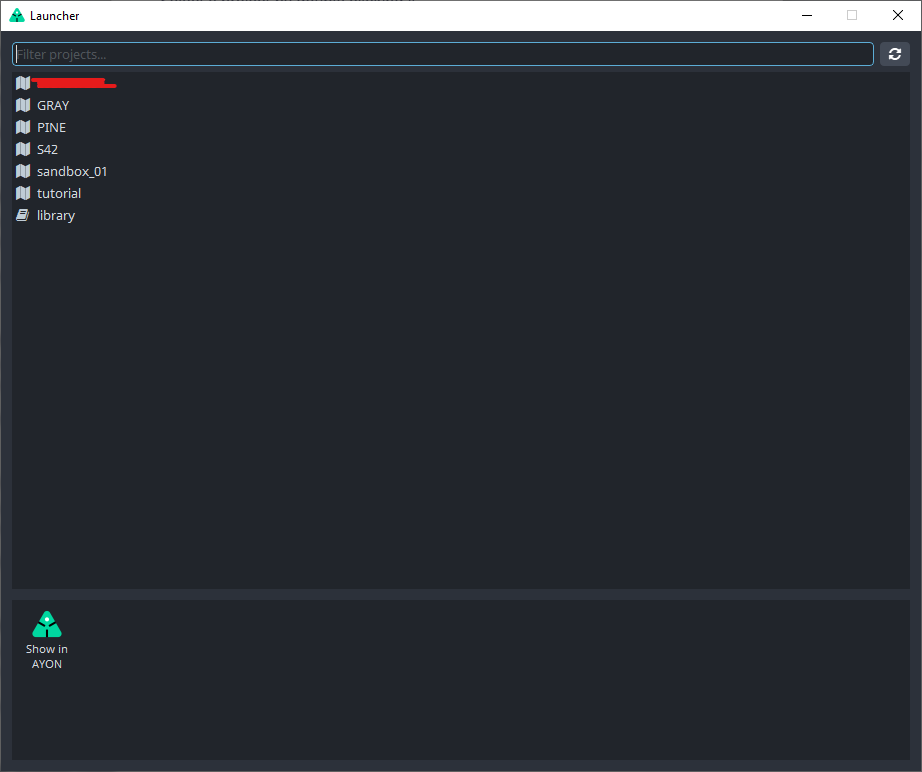
Select any Project from the Launcher,
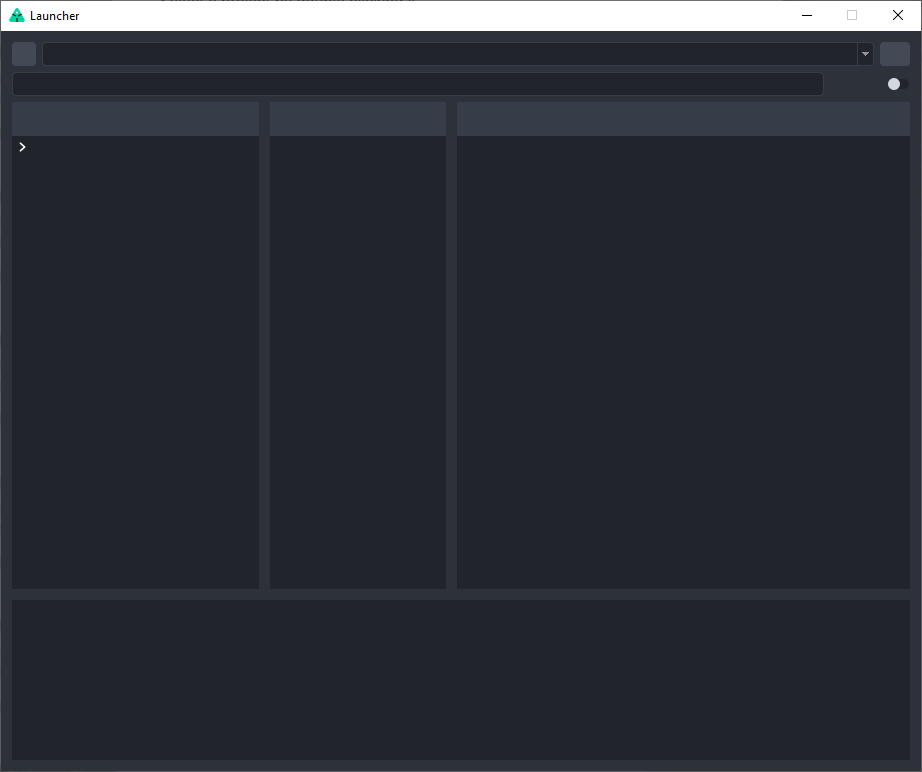
The Launcher displays the content Navigation panels, however, non of the text appears in the Launcher display (see image below):
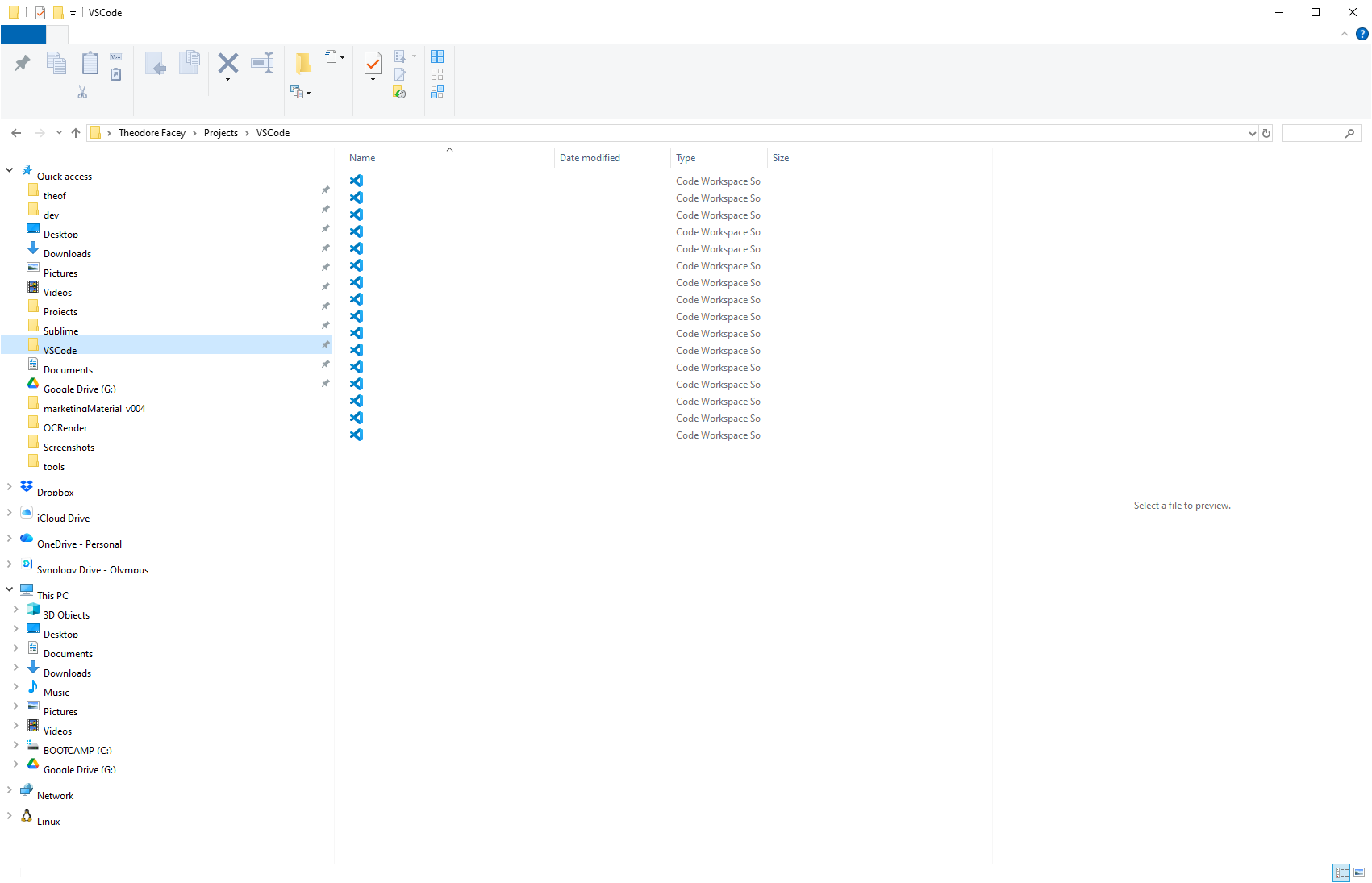
All of the other Windows Applications are now affected with the same issue. In the file explorer all of the file names have disappeared:
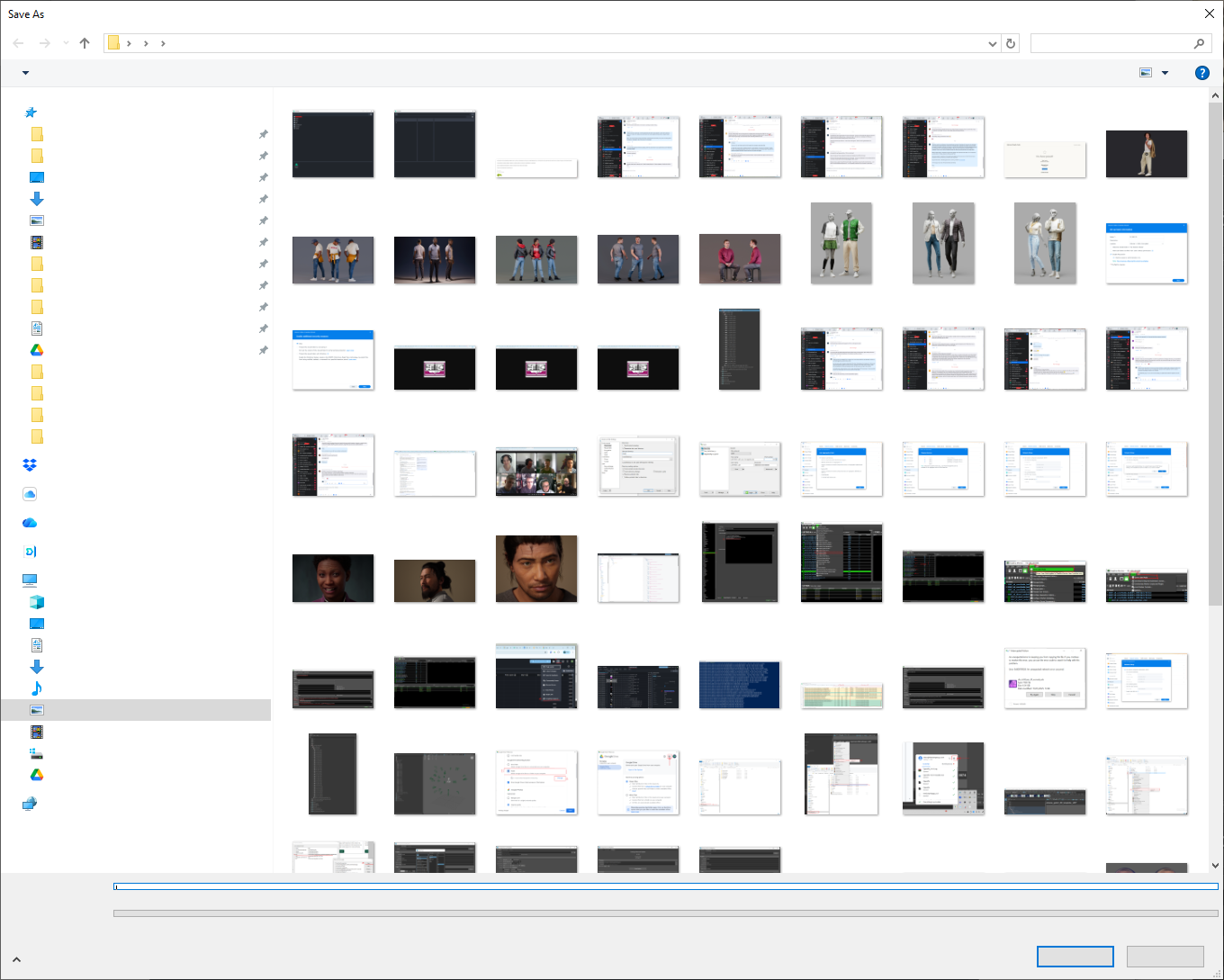
In the File Save Dialogs, a similar thing happens with the text input fields, file names and the save and cancel buttons:
To fix the issue the user has to log out and log back in, or restart windows.
In case this is useful, I also had a small dialogue with Claude Code, which narrowed down the issue to this (I hope it isn’t an hallucination!):
That's a very specific symptom — system apps like Explorer and Task Manager point to something happening at the Windows shell / GDI level, not just inside AYON's own process.

Most likely cause: Qt broadcasting WM_FONTCHANGE to HWND_BROADCAST

When PySide2 (which AYON uses) initialises QApplication, it builds Qt's font database by calling EnumFontFamiliesEx across all system fonts. After that, it broadcasts WM_FONTCHANGE to every top-level window on the desktop — including explorer.exe.

Explorer receives the message, clears its internal font cache and tries to reload. If Qt still holds GDI font handles at that moment (during its own font scan), Explorer's reload partially fails and it falls back to a broken/missing font state. Task Manager and other shell-hosted windows are affected for the same reason.

The fonts aren't actually deleted — they're just unloaded from Explorer's process. Restarting Explorer fixes it immediately:


Stop-Process -Name explorer -Force; Start-Process explorer
Longer-term options:

Switch AYON to PySide6 if it supports it — Qt 6 handles this more cleanly on Windows 10
Report it to AYON — this is a known class of bug in Qt/PySide2 pipelines on Windows and they may have a workaround (delaying the font broadcast, or suppressing it)
I can paste the full transcript in the comments below if that’s useful.
Although Support for Windows 10 is due to end this year (in October, I beleive), it feels like this shouldn’t have necessarily broken just yet.
Thanks for looking into this. Let me know if I can provide any more information.